Editorial26 April 2026VerifyDoc Editorial

What Is a Hosted Proof Page? Defining the New Standard for Post-Send Document Trust

What Is a Hosted Proof Page? Defining the New Standard for Post-Send Document Trust

The 30-second definition

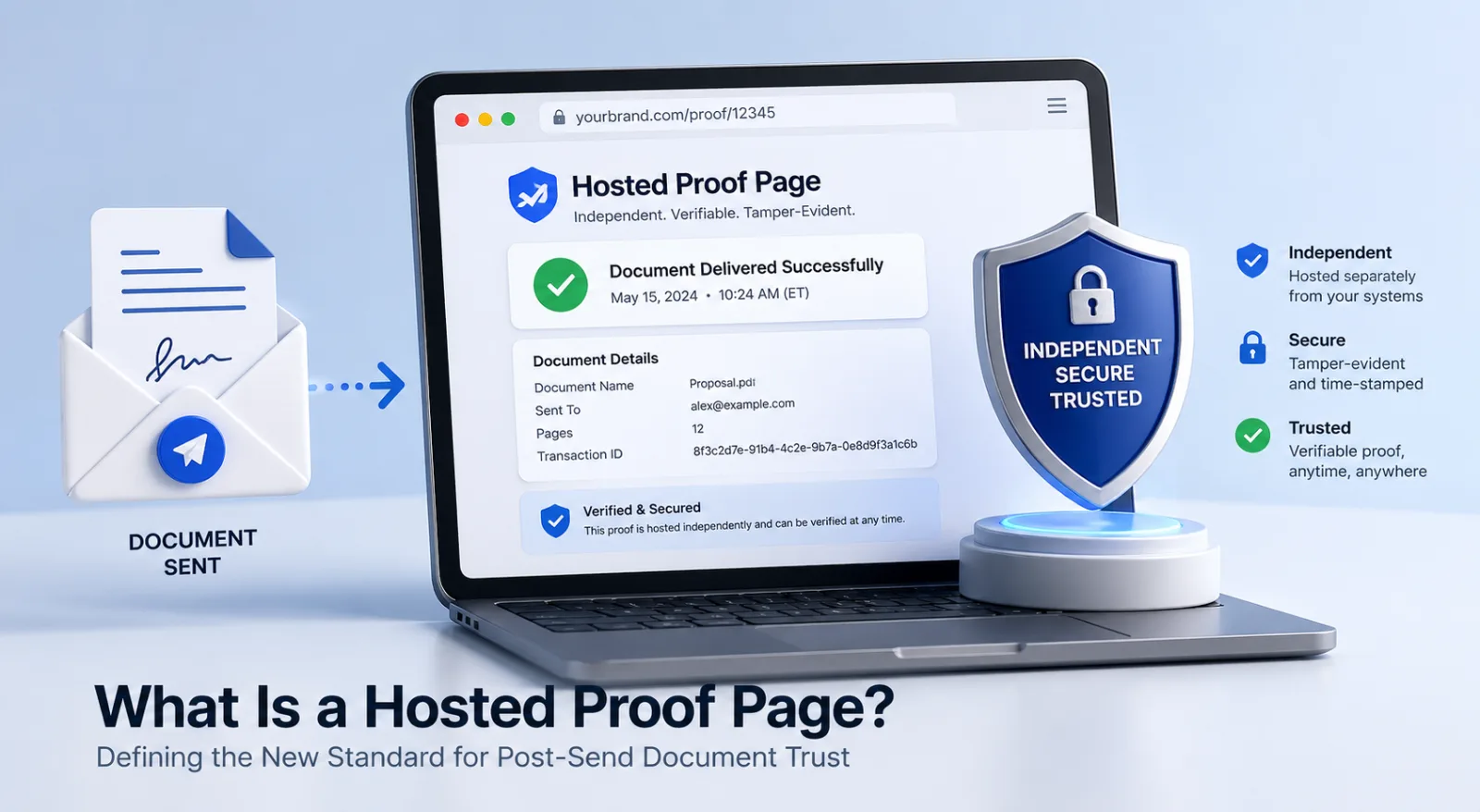
A hosted proof page is a public, issuer-controlled web page that allows any holder of a document to verify its authenticity, integrity, and current status — without an account, without logging in, and without contacting the issuer.

Each page is bound to a single document by a cryptographic hash computed at the moment of issuance. The page lives at a stable URL on a domain controlled by the issuing organisation, and the URL is embedded in the document itself — typically as a QR code, sometimes as a printed link. Anyone who receives the document, in any format, can open the page and see a definitive answer to one question: is this document the document the issuer issued, and is it still valid today?

Hosted proof pages are the verification surface that older document-trust models — wet signatures, raised seals, digital signatures, e-signature audit trails — were missing. They are what closes the loop between signing and trusting.

Why a new term was needed

The English-language vocabulary for document trust was built around two assumptions that no longer hold.

The first assumption was that a document's authenticity could be inferred from the medium — embossed paper, watermarked stationery, raised seals, ink signatures. Forgery was difficult because reproduction was difficult. That assumption survived several centuries and died, finally and definitively, with consumer-grade scanners, image editors, and generative AI capable of synthesising plausible signatures from a photograph.

The second assumption was that authenticity could be inferred from the channel — a document received from a known sender, through a known channel (registered post, courier, the company's email domain), inherited the trust of the channel. Email spoofing, business-email-compromise attacks, and the casual normalisation of forwarded PDFs eroded that assumption to nothing.

What replaced both assumptions in regulated industries was cryptography on the document itself. Digital signatures using PKI, qualified electronic signatures under eIDAS, hash-based integrity checks. The technology worked. The user experience did not. A digitally signed PDF in Adobe Reader displays a green checkmark — but only if the recipient happens to use Adobe Reader, only if their installation has the right root certificates, and only if they understand what the checkmark is asserting. None of those conditions hold for the average lender, regulator, HR manager, or hospital admissions clerk.

The category needed a different artefact: not a property the recipient had to interpret, but a destination the recipient could simply visit. That destination is the hosted proof page.

A short history of post-send document trust

EraMechanismWhat it provedWhat it failed to provePre-1900sWet signature, wax seal, embossed stampThe document looks like it came from the right partyModification after the fact; copies vs originals20th centuryNotary public, raised seal, registered postA trusted third party witnessed the actAuthenticity to a party who never visits the notary1990s–2000sDigital signatures (PKI, X.509)Cryptographic proof of signer and integrityRecipient must have compatible software and trust roots2000s–2010sE-signature platformsLegally binding intent at signing, audited workflowDocument integrity after delivery; no recipient verification surface2010s–2020sVerifiable credentials, blockchain notarisationDecentralised trust roots; tamper-evident recordsAdoption barriers; UX requires wallets or specialised viewers2020s onwardHosted proof pagesAuthenticity, integrity, and status — verifiable by any holder, with no account(Emerging standard; covered in detail below)

Each era added a property the previous one lacked. Hosted proof pages are the first model that solves recipient-side verification at scale — meaning the property that any party holding the document, regardless of their relationship with the issuer, can confirm trust on their own.

  • Formal definition

A hosted proof page is a web page with the following properties:

Issuer-controlled. The page is served from a domain the issuing organisation operates or has explicitly delegated. The URL is the trust anchor; if the URL is not on the issuer's domain (or a recognised verification provider acting on the issuer's behalf), the proof is suspect.

Document-bound. The page is uniquely associated with one document via a cryptographic identifier — typically a hash of the document computed at issuance, or a unique credential ID indexed to such a hash.

Publicly reachable. No authentication is required to view the proof. The proof is meaningful precisely because anyone can verify it.

Stateful and revocable. The page reflects the current status of the document — valid, revoked, superseded, expired — not just the status at issuance.

Discoverable from the document. The document carries a pointer to the page (QR code, printed URL, or both). A recipient who has only the document, with no other context, can find the proof.

Auditable. Verification attempts are logged on the issuer side, providing the issuer with visibility into where and when the document is being checked.

A page that lacks any of these properties is something else — a marketing landing page, a customer portal, an audit-trail dashboard. It is not a hosted proof page in the sense the term is used here.

Anatomy of a hosted proof page

A well-designed proof page has roughly ten visible components. The list below describes each as a design element; product teams building or buying verification platforms can use it as a checklist.

1. Issuer header. The issuing organisation's name, logo, and verified domain, displayed prominently. The header is the human-readable claim; the URL bar is the machine-readable claim. Both should match.

2. Status badge. A single, unambiguous indicator — Valid, Revoked, Superseded, Expired. Status is the most-asked question; it should be answered in the first second.

3. Document identity. The document title, type, issuance date, and unique identifier. Enough metadata for the verifier to confirm they are looking at the right document, without exposing private content.

4. Holder or subject reference (where applicable). For documents issued to a person — diplomas, certificates, permits — a reference to the holder, displayed at the privacy level the issuer has chosen (full name, partial name, redacted with initials).

5. Original document preview or download. A read-only view of the document itself, so the verifier can compare the document in their hand to the document the issuer issued. For sensitive documents, this may be gated by holder consent.

6. Cryptographic verification statement. A plain-language sentence explaining what was verified — e.g., "This document's SHA-256 hash matches the hash recorded by [Issuer] at issuance." Below it, a technical detail panel for those who want it.

7. Issuance and last-verified timestamps. When the document was issued; when this page was last accessed for verification. The latter is useful for fraud forensics.

8. Revocation reason (when revoked). If the status is anything other than Valid, the page explains why in proportionate detail — superseded by a newer version, revoked due to error, expired per scheduled lifetime.

9. Verification trail / audit information. A summary of how many times the page has been verified, optionally with anonymised geographic information. Useful for issuers as a fraud signal; useful for verifiers as evidence the document is in active circulation.

10. Issuer contact and escalation path. A clear way for a verifier to reach the issuer if something looks wrong — the document and the page disagree, the holder claims a different status, the document is suspected to be forged.

A well-designed page presents these elements at the appropriate level of detail for a non-technical audience. The presence of optional technical panels (hash values, signature chains, JSON exports) is a tell that the platform takes machine-readable verification seriously.

Comparison vs older trust models

PropertyWet signature + notaryDigital signature (PKI)E-signature audit trailHosted proof pageRecipient needs no softwareYesNo (PDF reader with cert support)No (account on platform)Yes (any browser)Verifies authenticityIndirectlyYesYes (signing event)YesVerifies post-send integrityNoYes (if recipient checks)NoYesReflects current status (revocation)NoLimited (CRL/OCSP, opaque to most users)NoYesWorks for issued (not signed) documentsYesYesNoYesDiscoverable from document aloneLimitedNoNoYesVerifiable by third parties with no relationship to issuerLimited (notary lookup)Limited (cert chain)NoYesLogs verification attempts for issuerNoNoPartialYesSurvives format conversion (PDF → print → scan)PartialOften brokenLostYes (QR survives reasonable degradation)

The pattern: each older model handled some properties well. The hosted proof page is the first to handle all the verification properties recipients actually need, while preserving the issuer's ability to revoke and audit.

Where hosted proof pages are appearing in the wild

Several adjacent and overlapping categories already use the pattern, even when they don't use the term:

Education credentials. Universities and credentialing bodies have been issuing diplomas with verification URLs for the past decade. The pattern has matured into the verifiable degree certificate workflow now common in EU-aligned education systems.

Vendor and supplier documents. Finance teams are increasingly demanding verifiable invoices and supplier letters after a wave of business-email-compromise losses.

Financial documents. Lenders and landlords are starting to require verifiable bank statements rather than uploaded PDFs that may have been edited.

Notarial alternatives. For low-to-medium-stakes documents, hosted proof pages are positioned as a modern alternative to traditional notarisation — particularly for cross-border use cases where finding a local notary is impractical.

Healthcare records. Pre-employment medicals, vaccination records, and lab results circulate widely between providers, employers, and travel authorities. Verifiable lab results with hosted proof pages reduce the load on issuing labs and protect against synthetic-record fraud.

Government permits and licences. Public-sector procurement is increasingly specifying verification capability for permits and licences, with explicit RFP language about issuer-controlled verification surfaces.

Compliance documents. Audit reports, security attestations, and ISO certificates are often the first documents a regulated organisation makes verifiable, because the audience asking for them is the most sensitive to forgery.

The common thread: any time a document leaves the issuer's perimeter and travels through parties who have no other relationship with the issuer, a hosted proof page is the right verification surface.

What hosted proof pages are not

A few clarifications, because the term is new enough that adjacent concepts are sometimes conflated:

Not a customer portal. A customer portal sits behind a login and serves the document holder. A proof page sits in front of the login and serves any verifier.

Not an audit trail. An audit trail records what happened during signing or processing. A proof page asserts what is true now about a specific document.

Not a blockchain explorer. Some implementations anchor hashes to a public ledger; the proof page may surface that anchoring. But the proof page itself is the user-facing artefact, not the ledger.

Not a digital signature alone. A digital signature is a property of the document; a proof page is a destination on the web. They complement each other; neither replaces the other.

Not a verification API. APIs serve programmatic verifiers. Proof pages serve human verifiers. Mature platforms offer both, drawn from the same source of truth.

  • How to evaluate a hosted proof page implementation

For buyers comparing platforms, the questions worth asking:

Domain control. Is the proof page on a domain you control, or on the vendor's domain? Vendor domains create a long-term dependency; custom domains preserve sovereignty.

Revocation latency. How quickly does a status change propagate to the proof page? Sub-minute is the modern standard.

Standards compliance. Does the underlying format align with W3C Verifiable Credentials, OIDC4VP, or relevant sectoral schemas? Open standards reduce lock-in.

Cryptographic transparency. Are hash algorithms, signature schemes, and key lifecycles disclosed? "Bank-grade encryption" is not an answer; "SHA-256 with rotated signing keys, key ceremony documented" is.

Verifier UX. Open the page on a phone. Does the answer to is this document valid? arrive in the first second? Hosted proof pages live or die on this.

Audit and reporting. Are verification events logged, exportable, and queryable? Issuers need this for fraud detection and for SOC 2 / ISO 27001 evidence — see the CISO's guide for the controls mapping.

Continuity of operations. What happens if the vendor disappears? An exportable hash and metadata format is the minimum acceptable answer.

Comparable alternatives. For an explicit head-to-head with two of the better-known signing platforms, see VerifyDoc vs Adobe Acrobat Sign and VerifyDoc vs PandaDoc.

Frequently asked questions

What is a hosted proof page in one sentence? A public, issuer-controlled web page that lets any holder of a document confirm its authenticity, integrity, and current status — no account required.

How is a hosted proof page different from a digital signature? A digital signature is a cryptographic property embedded in the document; verifying it requires compatible software and certificate trust. A hosted proof page is a web destination linked from the document; verifying it requires only a browser.

How is it different from an e-signature audit trail? Audit trails live behind the e-signature vendor's login and document the signing event. Proof pages live on the public web and document the current state of the document — including changes after signing.

Can a hosted proof page be forged? The page itself is served from the issuer's domain and protected by the same controls as the issuer's other web properties. The cryptographic binding between document and page makes forgery detectable: a forged document will fail to match the hash on file, and a fake proof page on a lookalike domain can be identified by the URL bar and TLS certificate. Sophisticated attackers may attempt phishing-style lookalike pages; URL discipline and visible domain branding are the defences.

Does it work offline? The document itself is offline-readable. Verification requires connectivity to the proof page. For environments where offline verification is required (field inspections, secure facilities), a complementary signed-credential approach can be used; some platforms support both.

How much metadata is exposed on a proof page? As little as the issuer chooses. A diploma proof page might show the institution, programme, and graduation year while redacting the holder's full name. The minimum-necessary principle from privacy frameworks (GDPR Article 5(1)(c), ISO 27001:2022 A.5.34) applies.

Does the holder need to consent to a proof page existing? Where the document contains personal data, the lawful basis for the proof page should be documented. Contract or legitimate-interest bases typically apply for documents the holder requested. Consent is more relevant for derivative or extended uses of the data.

Is "hosted proof page" a standard term? It is an emerging term used by VerifyDoc and a small number of adjacent platforms to name a pattern that has existed under several other names — credential verification page, certificate verification URL, hosted attestation. The argument for the term is that it describes the artefact precisely: it is hosted (on the web), it is proof (cryptographically bound), and it is a page (a human-visitable destination, not just an API).

Where can I see one in action? Most VerifyDoc-issued documents include a QR code linking to a live proof page. Sample proof pages are available on the How It Works page.

The category, in one paragraph

For most of recorded history, document trust was a property of the document itself — the paper, the seal, the signature. For the past thirty years, it migrated into infrastructure — PKI certificates, audit trails, signing platforms. The hosted proof page brings it back to a place a recipient can actually act on it: a URL, on the issuer's domain, that anyone holding the document can visit. That is the new standard for post-send document trust, and it is the foundation everything VerifyDoc builds rests on.

  • Related reading

This page is the canonical entry point for the VerifyDoc document-trust library. From here:

For consumers and HR teams: How to Verify a Degree Certificate or Transcript with QR Codes.

For finance leaders: Stopping Fake Invoices: A CFO's Guide and Verifiable Bank Statements for Lenders and Landlords.

For buyers comparing platforms: VerifyDoc vs Adobe Acrobat Sign, VerifyDoc vs PandaDoc, and QR Code Notarisation: A Modern Alternative.

For regulated sectors: Healthcare Records on the Move and Government Permits and Licences.

For the security buyer: The CISO's Guide to Document Trust: SOC 2, ISO 27001 and Verifiable Authenticity.

Back to blog