A site inspector in a major European city walks onto a construction site at 8:14 a.m. The site supervisor produces a permit, a building-control approval, and three contractor licences. They look correct. The inspector has fifteen minutes before the next site visit. There is no realistic way to phone the issuing authority for each of those four documents and still complete the day's schedule. So the inspector does what most inspectors do most days: notes the permit numbers, takes a photograph for the file, and moves on.
Multiply that interaction by every inspector, every customs officer, every contracting authority, every counter clerk, every recipient of every government-issued permit and licence in the country, every working day. The result is a vast, structurally exploitable verification gap. The state has issued the document. The recipient has the document. Anyone in between has no fast, reliable way to confirm the document is the one the state issued.
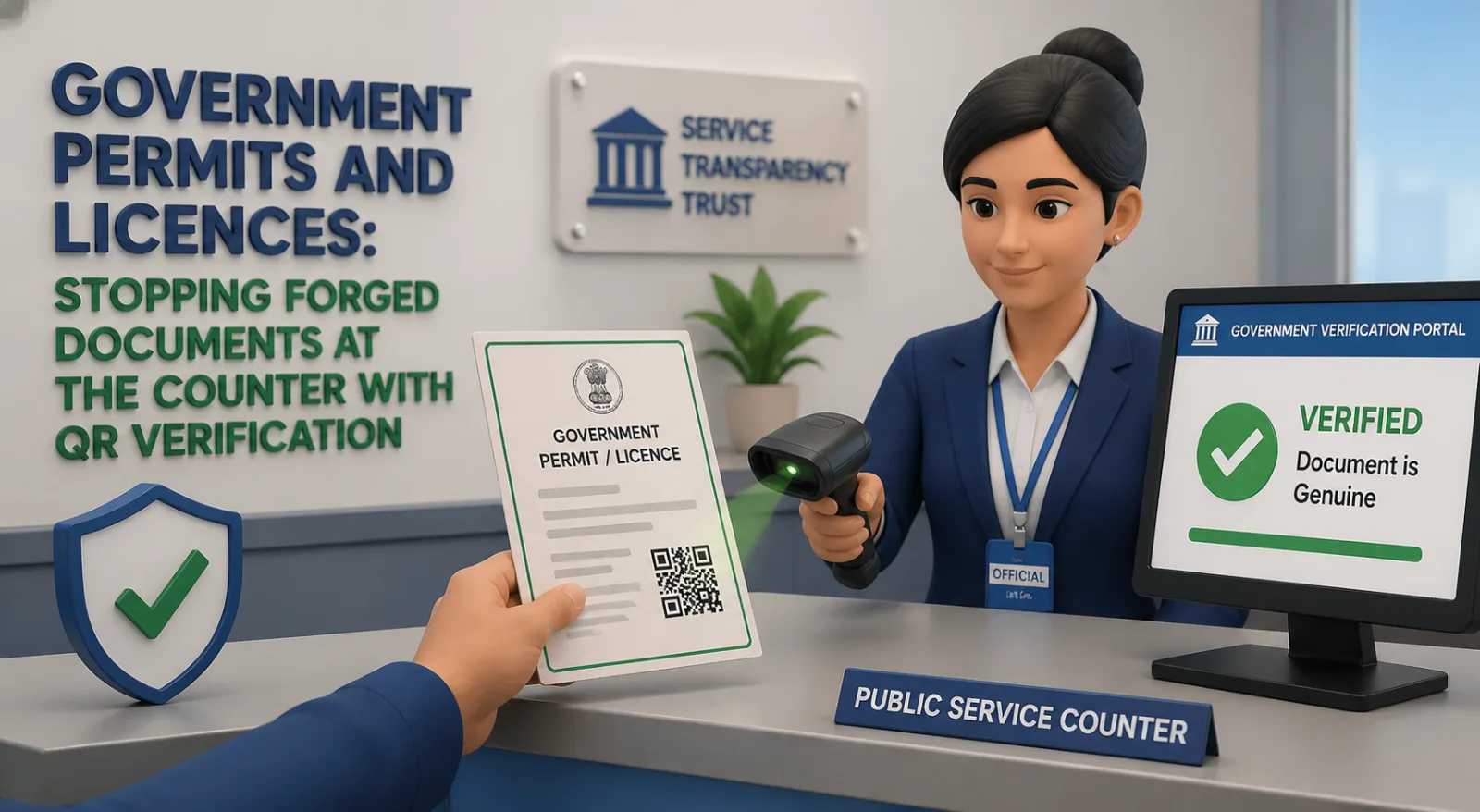
This is the single most consequential unsolved verification problem in public administration, and it is now technically solvable. A QR-verified permit or licence carries a scannable code on the document itself. The inspector, the customs officer, the procurement team, the citizen on the other side of the counter — anyone — can scan the code with a phone camera and confirm in two seconds that the document is genuine, who issued it, when, and what it authorises. No phone call, no authority registry login, no language barrier.
This article is for regulators, inspectors and public-sector procurement teams considering verification capability for permits, licences and certificates. It walks through three publicly reported categories of forged-document incident, the architecture of a verifiable issuance flow, and a one-page procurement checklist designed to be excerpted directly into RFPs and tenders.
Three publicly reported categories of forged-document incident
The following are categories of incident widely reported in the public press; specific operational details are summarised at a level appropriate for a public article rather than narrating live investigations.
EU Digital COVID Certificate forgery rings (2021–2022). During the pandemic-era rollout of the EU Digital COVID Certificate — a QR-verified credential that proved vaccination, recovery or a recent test — multiple member-state authorities, supported by Europol, broke up organised rings selling forged versions. The instructive detail for verification design is that the EU certificate's QR-and-cryptographic-signature model was, in the end, what enabled forgery detection at scale: even when fakes circulated, border officers and venue staff could verify legitimate certificates in seconds, and fakes failed the cryptographic check at the point of inspection. Without a verifiable model, the same forgery effort would have produced visually identical paper documents that no front-line officer could have detected in the field.
UK construction skills card fraud. The Construction Skills Certification Scheme (CSCS) has publicly acknowledged the problem of fake CSCS cards on construction sites — workers presenting forged competence credentials to gain site access. CSCS's response, the Smart Check verification platform launched in 2020, allows site managers to scan a CSCS card on a phone and confirm in real time whether the card and its holder are genuine. The scheme is now industry-mandated on many UK sites and has been cited by the Health and Safety Executive as a meaningful contributor to site-safety improvement.
US contractor licence forgery. State licensing boards across the US — the California Contractors State License Board prominently among them — regularly publish prosecution actions against unlicensed contractors operating with forged or borrowed licence documents. The harm runs across consumer fraud (homeowners paying for work by uninsured, unqualified parties), tax loss, and worker-safety failures on uninspected sites. Several state boards have moved or are moving toward verifiable digital licences with consumer-facing verification, on the same logic the EU and UK examples illustrate.
The pattern across all three: the issuing authority knows what it issued, the recipient has the document, and the gap is in the inspection moment when a third party needs to confirm authenticity quickly. That gap is what QR verification closes.
- Why government documents are uniquely attractive forgery targets
Government-issued permits and licences combine four properties that make them unusually attractive to forge:
High value per document. A construction permit can authorise millions in property value. A pharmaceutical importation licence can authorise large quantities of controlled substances. A contractor licence can authorise dozens of jobs. The economic upside of a forgery is large.
Slow, fragmented verification paths. Authority-to-authority verification is rarely real-time. Inspectors and counter clerks operate in time-constrained environments where the realistic alternative to "trust the document on its face" is "delay the transaction." Forgery exploits exactly this.
Visual conventions that are widely known. The look of an official document — letterhead, seal, signature block, security background — is publicly known and well-documented. Generative-AI tools have collapsed the cost of reproducing these visual conventions to near zero. The visual seal is no longer a meaningful security feature on its own.
Repeated downstream presentation. Unlike a signed contract that lives in two filing cabinets, a permit or licence is presented dozens of times — to inspectors, to customers, to procurement teams, to insurers, to other agencies. Each presentation is a verification opportunity that current systems do not capture.
The combination is why the public-sector verification problem is structurally different from the private-sector one, and why the case for verification capability is correspondingly stronger.
What a verifiable issuance flow looks like for a government authority
The end-to-end flow is intentionally simple from the authority's perspective. Most of the design complexity sits in the platform's architecture — open standards, sovereign-data options, accreditation — not in the authority's day-to-day operations.
At the authority's end
The permit or licence is generated as it is today, from the authority's case-management or licensing system. The document content does not change.
Before the document is finalised for delivery, the verification block is added — typically a QR code in the footer, sized for both screen and print.
The verification platform receives a hash of the document plus the minimum-necessary metadata fields the authority has approved for the proof page (document type, issuance date, document reference number, holder name, validity status).
The QR is stamped onto the document at the agreed position. The document is delivered to the holder by the existing channel — citizen portal, post, in-person collection.
At the inspector or counter clerk's end
The inspector opens the document — PDF on a tablet, paper from a clipboard, photo on a phone.
They scan the QR with the phone camera. Both iOS and Android decode QR natively without an app, which matters in environments where deploying a custom inspection app is not realistic.
The proof page loads in the browser. It shows the issuing authority's verified identity, the document type and reference number, the holder's name as printed on the document, the validity status (current, expired, suspended, revoked), and a short plain-language statement of what the document authorises.
The inspector compares what they see on the proof page to what they have in front of them. A match means the document is genuine and current. A mismatch — different reference, different name, expired status, or no proof page at all — is the trigger for the existing escalation procedure.
The inspection workflow goes from "trust the document on its face" to "two-second authoritative check" with no new equipment, no app deployment, no training beyond a five-minute briefing.
"Trust the document, not the database" — the architectural advantage
Most existing verification systems are database-lookup models. The inspector queries a registry, the registry returns a confirmation. This works when the registry is online, the inspector has connectivity, the registry is fast, and the inspector has credentials to query it. It fails — frequently — when any of those conditions does not hold. It also concentrates the verification function inside the issuing authority, which becomes a bottleneck.
A QR-verified document is a different architecture. The document carries its own verification anchor. The proof page is publicly accessible (with privacy-appropriate field selection by the issuing authority). The verification function is distributed to every recipient with a phone, not concentrated at the issuing authority's call centre. The authority remains the source of truth, but the path between truth and verifier is two seconds, not two days.
This architecture has three consequential second-order effects for public administration:
Reduced load on the issuing authority. Inspectors and counter clerks stop calling the authority's verification line for routine checks. The lines that do ring are the genuinely suspicious cases.
Inspections become possible where they were not before. Field environments, border crossings, mobile units — places where database lookup is slow, expensive or impossible — get verification capability that did not previously exist.
The recipient is empowered as a participant in verification. A citizen who holds a QR-verified document can prove its authenticity to anyone who asks. This shifts a meaningful part of the verification burden away from the state and into the hands of the people who benefit from being able to demonstrate that the documents they hold are real.
A one-page procurement checklist for government buyers
The following checklist is designed to be excerpted directly into an RFP, ITT or framework competition. Each line should be either confirmed in the bidder's response or scored against an evidence requirement.
A. Sovereignty and data residency
The platform must support data residency in the buyer's national jurisdiction (or a defined set of jurisdictions), with no replication outside without explicit authority approval.
The platform must be deployable in a sovereign-cloud option where the relevant regulator requires it.
Cross-border transfer mechanisms (Standard Contractual Clauses, IDTAs, or equivalent) must be documented and current.
B. Compliance attestations
ISO 27001 Information Security Management — current certification.
SOC 2 Type II — most recent report available under NDA.
National sectoral standards as applicable (Cyber Essentials Plus / NHS DSP Toolkit / CSA STAR / FedRAMP / IRAP / equivalent).
GDPR-compliant Data Processing Agreement (or local equivalent) signed at contract.
C. Open standards and interoperability
The QR encoding and proof page protocol should be based on published, open standards rather than proprietary formats.
A documented public REST API for issuance, revocation and verification status.
FHIR / OpenAPI / equivalent integration patterns documented for the buyer's existing case-management system.
D. Issuance and revocation
Bulk issuance must be supported (millions of documents per cycle if the authority's volume requires it).
Revocation must be effective in real time across all proof pages, with no perceptible lag.
Re-issuance and supersession must be auditable, with a clear history visible to authorised inspectors.
E. Verifier-side experience
Verification must work for any recipient with a smartphone camera, with no app installation and no account.
The proof page must work on cellular connections in low-bandwidth environments (sub-100 KB target).
Multilingual proof pages must be supported, with the languages the holder population uses available at issuance.
Accessibility: proof page must meet WCAG 2.2 AA at a minimum; where higher (AAA) is required, evidence must be provided.
F. Audit and reporting
Every verification event must be logged with timestamp, geographic region (not precise location, for privacy), and verification result.
The authority must have a self-service reporting dashboard plus exportable raw data for FOI / transparency reporting.
The audit trail itself must be tamper-evident.
G. Continuity and exit
The authority must be able to export full verification records (document hashes, metadata, issuance and revocation timestamps) at any time, in a documented open format.
A documented exit plan must exist describing how the authority would continue to honour live QR codes if the contract terminates.
Source-code escrow for critical platform components is required for contracts above the threshold the buyer sets.
H. Pricing model
Per-document or per-seat pricing must be transparent and capped, with no usage-based surprises at scale.
Verifier-side use must be free at the point of use (no per-scan fee charged to inspectors or citizens).
Support tiers and SLAs must be documented, with public-sector-appropriate response times for severity-1 incidents.
I. Procurement compliance
The bidder must be available through the buyer's preferred procurement vehicle (G-Cloud / NHS Shared Business Services / GSA Schedule / SEWP / equivalent) or be willing to register for it.
Modern slavery, social value, and equivalent statutory disclosures must be in place.
Cyber-incident disclosure and notification commitments must align with the authority's regulatory obligations.
A bidder unable to respond cleanly to the items in sections A, B, F and G should not progress past technical evaluation in any serious public-sector competition.
- Lessons from existing deployments
Three observations from authorities that have deployed verification at scale, distilled to the practical:
Start narrow, then expand. Authorities that have succeeded with verification typically pick a single document type — a high-volume permit or a high-fraud licence — and roll out verification for that document only in the first phase. The CSCS Smart Check rollout in UK construction is a useful precedent. Trying to verify every document the authority issues from day one is a programme management problem, not a technology problem.
Train the inspectors, then the public. The inspectorate adopts the verification habit faster than the public. Once inspectors are routinely scanning at the counter or on site, public awareness follows naturally. Public-facing communications campaigns are usually more effective in the second year of a deployment than the first.
Plan for the legacy tail. Documents issued before the verification programme started will continue to circulate for years. Define the verification policy for legacy documents up front (typically: continue to honour existing verification methods for legacy documents; require QR for documents issued after a published date) to avoid confusion at the inspection moment.
- Frequently asked questions
Does QR verification require us to put the entire permit content on a publicly accessible URL?
No. The proof page is configured by the issuing authority and should follow a minimum-necessary principle: enough information for a verifier to confirm the document is genuine, no more. Most authorities expose document type, reference number, holder name as printed, issuance date and validity status. The full document is not republished.
What if a citizen does not have a smartphone — does this exclude them?
The verification step is performed by the recipient party (the inspector, customs officer, procurement team) who almost always has a smartphone. The citizen does not need to operate the verification themselves. For the small minority of recipient-side verifications by citizens (for example, a homeowner verifying a contractor's licence before letting work begin), web-based QR readers and printed reference numbers provide a fallback.
Can the QR be removed or altered to make a forgery undetectable?
If the QR is removed, the document fails verification immediately — a missing QR on a document that should have one is itself a fraud signal. If the QR is replaced with a malicious QR, the proof page either fails to load or loads at a domain that is not the issuing authority's, which is detectable in the browser address bar. The trust anchor is the resolved domain, which is much harder to spoof than the document.
How does this interact with EU eIDAS, UK Trust Services, US E-SIGN or equivalent regimes?
QR verification is complementary to these regimes rather than competitive with them. eIDAS-grade qualified electronic signatures or equivalent attestations sit inside the document; QR verification provides public, fast verification of the document's integrity and issuance. Many authorities use both.
What happens to QR codes if the verification provider goes out of business?
A well-designed procurement specifies an exit plan and verification-record export, so the authority can continue to honour live QR codes by re-hosting the verification function elsewhere. Section G of the checklist above is the controlling provision.
How long does a typical authority take to deploy?
For a single document type and a competent integration team, 8–16 weeks from contract signature to first verifiable document issued is achievable. Full programme rollout across multiple document types and multiple business units usually takes 12–24 months, primarily for change-management rather than technical reasons.
The bottom line
Public administration relies, far more than is comfortable, on the assumption that the document presented at the counter is the document the state issued. That assumption was tenable when forgery required skill. It is no longer tenable when generative-AI tools have collapsed the cost of producing visually correct fakes.
QR verification on permits and licences moves the verification burden from "did the inspector recognise the seal?" to "did the document scan to the authority's verified proof page?" — a change that converts a structurally exploitable trust assumption into a two-second authoritative check, performed by every inspector with a phone.
The public-sector procurement case is strong, the technical risk is bounded, and the available precedents — the EU Digital COVID Certificate, UK CSCS Smart Check, and a growing list of contractor-licence and professional-licence deployments — show the model works at scale. The procurement checklist above is the practical artefact for any authority moving from "we should look at this" to "we are putting this in the next ITT."
To see how the verification model works in practice, read the QR document verification explainer, or contact the team about verifiable permits and licences for government regulators.