Editorial26 April 2026VerifyDoc Editorial

VerifyDoc vs Adobe Acrobat Sign

Why Verification Matters After the Signature

VerifyDoc vs Adobe Acrobat Sign: Why Verification Matters After the Signature

If you are evaluating Adobe Acrobat Sign and have been pointed at VerifyDoc as a possible alternative, the most useful version of this comparison is the honest one. The two products overlap on the headline category — getting documents signed electronically — but underneath they are designed for two different problems. Understanding which problem you are actually solving is what determines which platform is right for your team.

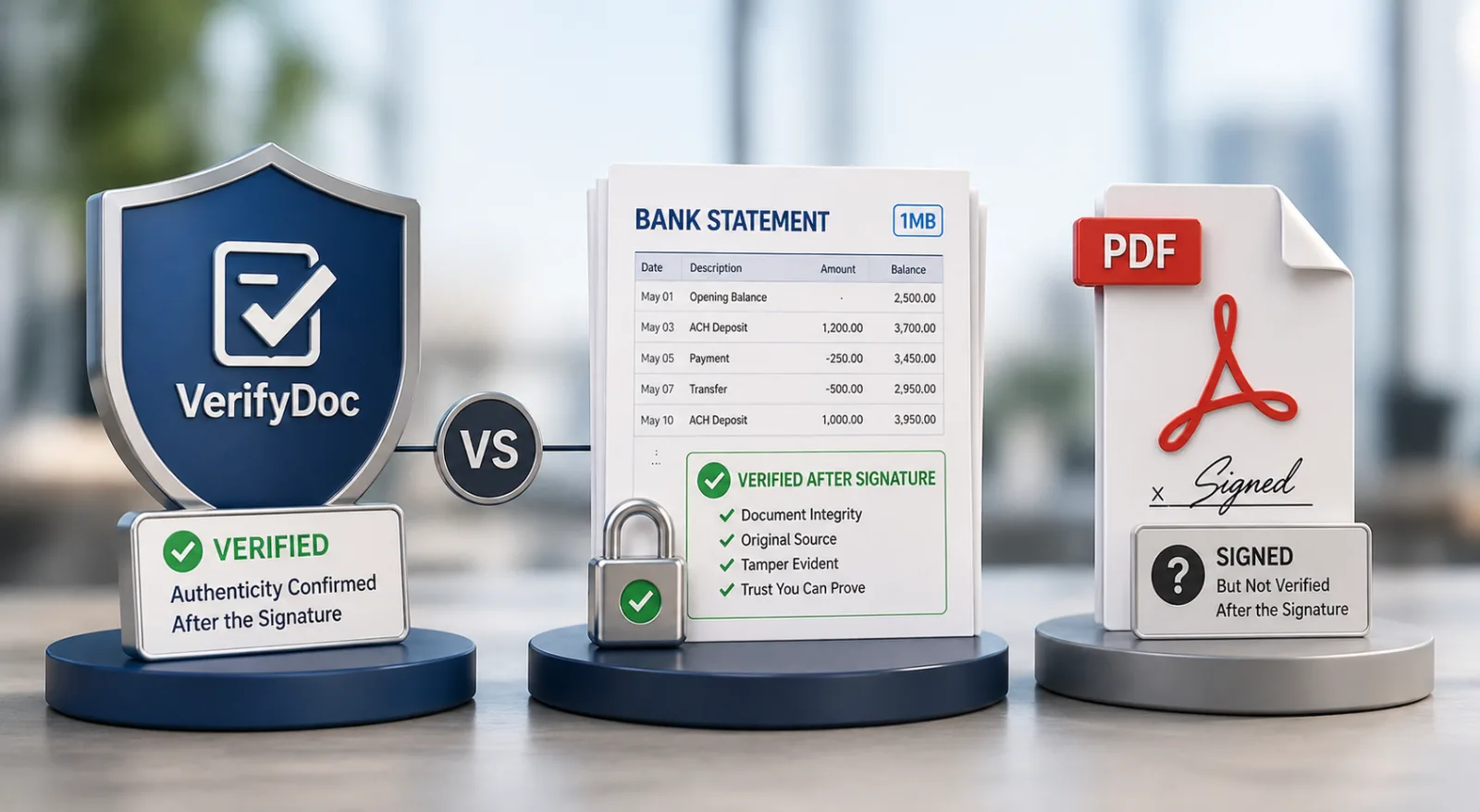
This article walks through what each tool is genuinely best at, where they overlap, where they don't, and how to choose between them with a decision matrix at the end. The short version: Adobe Acrobat Sign is the right answer for teams whose work lives inside the PDF — heavy editing, complex forms, AATL-grade digital signatures, deep Microsoft 365 integration. VerifyDoc is the right answer for teams who care most about what happens to a document after it has been signed and sent — proof of authenticity, post-delivery verification, QR-on-document trust that travels with the file even onto paper.

If you only care about one of those, the choice is straightforward. If you care about both, the article ends with a "use them together" pattern that an increasing number of teams adopt.

TL;DR

Choose Adobe Acrobat Sign if…Choose VerifyDoc if…You live in PDF and need deep editing, OCR, form creation, and Acrobat Pro features alongside e-sig.You issue documents that recipients need to prove are real later — HR letters, certificates, contracts, statements, invoices.You require AATL-listed digital signatures for regulated workflows (life sciences 21 CFR Part 11, certain eIDAS qualified-signature use cases).You want a QR code on the document that opens a hosted proof page in two seconds — on phone, on paper, on a screenshot.You're already on Adobe Creative Cloud or Acrobat Pro and want sign bundled in.You want flat, predictable per-seat pricing without an Adobe-ecosystem assumption.Your buyers spend most of their day inside Microsoft 365 and want native Word/Outlook signing.Your team works in Google Docs and Microsoft Word and wants signing and verification in the same flow.You need enterprise-scale workflow features (Salesforce, Workday, advanced routing).You want post-send verification as a first-class feature, not a downloadable audit trail PDF.

What Adobe Acrobat Sign actually is

Adobe Acrobat Sign is the e-signature product inside Adobe's Document Cloud, which is itself part of the broader Adobe ecosystem that includes Acrobat (the PDF reader and editor most people have used since the 1990s) and Creative Cloud. It is a mature, enterprise-grade platform with twenty-plus years of PDF heritage behind it, and that heritage shows.

The headline strengths are genuine and worth listing fairly:

Deep PDF editing. Adobe owns the PDF format. If you need to edit, OCR, redact, split, merge, compress, comment on, or build forms inside PDFs, no other vendor matches the fidelity. For teams whose work is fundamentally PDF-shaped, this matters.

AATL-listed digital signatures. Adobe is a charter member of the Adobe Approved Trust List, which means digital signatures applied through Acrobat Sign are recognised as trusted by Adobe Reader out of the box. For regulated industries that need cryptographic digital signatures (life sciences under 21 CFR Part 11, certain eIDAS qualified-signature scenarios), this is a meaningful technical advantage.

Microsoft 365 integration. Native add-ins for Word, Outlook, SharePoint and Teams. If your team lives in Microsoft 365 and you want to send documents for signature without leaving Word or Outlook, the integration is excellent.

Enterprise workflow. Salesforce, Workday, ServiceNow integrations; routing rules; templates; bulk send; Power Automate flows. The plumbing is comprehensive.

Bundling. If you already pay for Acrobat Pro or Creative Cloud, e-sig is bundled into the higher Acrobat tiers, which can make the marginal cost effectively zero per user.

The trade-offs are equally honest:

Pricing complexity. Adobe Acrobat Sign sits inside a tiered Acrobat / Document Cloud pricing matrix that, as of 2026 list pricing, ranges from individual plans around $14.99 a month to enterprise pricing that requires sales engagement. Working out what your team will actually pay typically requires a conversation with Adobe sales.

PDF-centric assumptions. Adobe Acrobat Sign assumes the document being signed is, or will become, a PDF. Workflows that originate in Google Docs or that need to stay in Word are workable but not native-feeling.

Verification is "audit trail," not a hosted proof page. Adobe Acrobat Sign issues a Certificate of Completion — a PDF audit trail showing signer details, IP addresses and timestamps — bundled with the signed document. That is the industry standard for e-signature audit. It is not the same thing as a hosted, scannable proof page that anyone can verify in two seconds without downloading anything.

What VerifyDoc actually is

VerifyDoc is a document-trust platform. Electronic signatures are part of what it does, but the centre of gravity is what happens to a document after it has been signed and delivered. Every document VerifyDoc handles is issued with a QR code (or equivalent verification block) on the document itself. When anyone scans that QR — recipient, third-party verifier, downstream party — it opens a hosted proof page that confirms the document is genuine, who issued it, when, and what was inside.

The headline strengths:

Post-send verification as a first-class feature. A signed document leaves your system and ends up in inboxes, on phones, in printers, on shared drives, on screenshots in WhatsApp, framed on walls. A QR-verified document carries its proof with it everywhere. A signed-but-not-verified PDF doesn't.

Hosted proof page UX. Two-second QR scan with any phone camera, no app, no account, no fee for the verifier. Compared to "download the audit trail PDF and inspect it," this is a different category of usability.

Works on paper. A QR printed on a paper copy of a contract, certificate or invoice still resolves to the live proof page. This matters more than digital-natives expect — significant volumes of HR letters, government documents, professional certificates and bank statements still circulate on paper or as photocopies.

Word and Google Docs first. VerifyDoc's native integrations with Microsoft Word and Google Docs treat both as first-class citizens. Teams that draft in Google Docs do not have to convert to PDF to get verification.

Predictable, flat pricing. Personal $10, Standard $25, Business Pro $50, Enhanced (custom) — published, no sales-call required to find out what you'd pay.

The trade-offs, also honest:

Less comprehensive PDF editing. VerifyDoc is not trying to replace Acrobat as a PDF editor. If you need to OCR scanned documents, build complex fillable forms, or do heavy PDF page surgery, Acrobat does that and VerifyDoc does not.

AATL digital-signature scenarios. For the specific regulated workflows that legally require an AATL-listed digital signature, Adobe is the path of least resistance. VerifyDoc supports e-signatures and certificates of authenticity that meet eIDAS, ESIGN and UETA standards for the great majority of business documents — but the narrowest cryptographic-trust scenarios remain Adobe's home turf.

Newer ecosystem. Adobe has twenty-plus years and integrations with every enterprise system you can name. VerifyDoc's integration footprint is growing but smaller — the ones that exist (Word, Google Docs, API, common CRMs) are deep, but the long tail is shorter.

Side-by-side decision matrix

CapabilityAdobe Acrobat SignVerifyDocElectronic signaturesYes (industry leader)YesAATL-listed digital signaturesYes (charter member)No (uses certificate-of-authenticity model + eIDAS / ESIGN compliance)Post-send verification (QR on document)NoYes (core feature)Hosted proof pageNo (audit trail PDF only)YesVerification on paper / printed copyNoYesVerification by phone camera scan, no appNoYesWord integrationExcellent (native add-in)Excellent (native add-in)Google Docs integrationLimitedExcellent (native add-in)Outlook / Microsoft 365 integrationExcellentGoodDeep PDF editing (OCR, redaction, page edit)Excellent (Acrobat Pro included)NoForm creation (fillable PDF forms)ExcellentBasicSalesforce / Workday / ServiceNow integrationsYesLimitedBulk sendYesYesTemplatesYesYesAPI for developersYesYesCompliance: ESIGN, UETA, eIDASYesYesCompliance: 21 CFR Part 11 (life sciences)YesPartial — check current scope with VerifyDocPricing transparencyTiered; sales engagement common at scalePublished flat tiers ($10 / $25 / $50 / Custom)Bundled with broader productAcrobat Pro / Creative CloudStandalone

Five real-world scenarios — pick the right tool

Decision matrices are useful in the abstract. Real procurement decisions are usually about a specific use case. Here are five common ones.

Scenario 1: A 200-person SaaS company wants to send sales contracts and offer letters

Recommendation: VerifyDoc. The contracts and offer letters will end up forwarded, screenshotted, printed and re-shared. Recipients need to be able to confirm the documents are real after delivery — a candidate showing a parent the offer letter, a customer's procurement team double-checking the contract a year later. The QR-verified model fits precisely. Adobe Acrobat Sign would sign these documents fine but would not give recipients an easy verification path post-delivery.

Scenario 2: A pharmaceutical company submitting documents to the FDA under 21 CFR Part 11

Recommendation: Adobe Acrobat Sign. Life-sciences submissions that require AATL digital signatures and 21 CFR Part 11 compliance are Adobe's home turf. Pick the tool the regulator expects.

Scenario 3: A university issuing degree certificates to a graduating cohort

Recommendation: VerifyDoc. The use case is exactly the post-send verification problem: graduates will hand the certificate to employers across many countries for years to come, and those employers need a fast way to confirm authenticity. The hosted proof page is the right artefact. (See the dedicated degree-verification guide for the full workflow.)

Scenario 4: A real-estate brokerage with a heavy PDF form workflow

Recommendation: Adobe Acrobat Sign — possibly with VerifyDoc layered on for client-facing documents. State-by-state real estate transaction forms are PDF-shaped, complex, and deeply tied to the Acrobat editing capabilities. Adobe wins the form workflow. Where VerifyDoc adds value is on the brokerage's outbound documents (commission agreements, listing contracts, closing statements) that clients will want to verify later.

Scenario 5: An HR team at a 50-person company sending offer letters from Google Docs

Recommendation: VerifyDoc. The Google Docs integration is native, the offer letter use case is exactly what tamper-proof HR documents are designed for, and the pricing is dramatically simpler than Adobe's tiered model at this team size.

Cost comparison

Direct cost comparison is hard because Adobe Acrobat Sign sits inside a multi-product pricing matrix and most teams buy it bundled with Acrobat Pro. As a rough guide using publicly listed 2026 pricing:

Adobe Acrobat Sign for individuals: approximately $14.99 / month, billed annually.

Acrobat Pro for teams (includes Sign): approximately $23.99 / month per licence.

Enterprise: custom; budget for $30+ per user per month at scale, with significant variance based on volume and bundling.

VerifyDoc, by contrast, publishes flat tiers:

  • Personal: $10 / month
  • Standard: $25 / month
  • Business Pro: $50 / month

Enhanced: custom

For a typical mid-market team that does not need Acrobat Pro's deep PDF editing, VerifyDoc's per-seat economics are usually meaningfully lower — particularly when the e-sig requirement is for sending and verifying business documents rather than for editing them.

The honest exception is teams that already pay for Adobe Creative Cloud or Acrobat Pro for non-sign reasons. For those teams, the marginal cost of using Acrobat Sign is effectively zero, and the right comparison is feature fit rather than dollars.

Can you use both?

Yes, and a meaningful share of mid-market and enterprise teams do. The pattern works like this:

Adobe Acrobat (with Sign) is used internally for PDF editing, form creation, and any workflow that requires AATL-grade digital signatures.

VerifyDoc is used for outbound documents that recipients need to verify after delivery — offer letters, certificates, contracts that travel beyond the organisation, statements, invoices.

The two are not in conflict. A document can be edited and prepared in Acrobat, signed using whichever signature method is appropriate, and then issued through VerifyDoc to attach the QR verification block. The recipient gets the best of both: a properly signed document and a hosted proof page they can scan in two seconds.

For teams with a clear use-case split — internal-PDF-heavy work versus external-trust-heavy work — this combined model often makes more sense than picking one tool to do everything.

  • Frequently asked questions

Is VerifyDoc a true Adobe Sign replacement?

For most business e-signature use cases, yes. For the narrow set of workflows that legally require AATL-listed digital signatures (some life-sciences and qualified-signature eIDAS scenarios), Adobe remains the right choice. For the vastly larger universe of business documents — contracts, offer letters, certificates, statements, invoices — VerifyDoc is a full alternative with the post-send verification layer that Adobe does not offer.

Does VerifyDoc work with PDFs?

Yes. VerifyDoc adds verification to PDFs as well as to documents authored in Word and Google Docs. The difference is that VerifyDoc treats PDF as one output format among several rather than as the centre of gravity.

Can recipients verify a VerifyDoc document without an account?

Yes. The verifier-side flow is intentionally zero-friction: scan the QR with any phone camera, read the proof page, no signup, no fee. This is the most consequential UX difference from Adobe's audit-trail-PDF model.

What about long-term document validity?

Both platforms address this differently. Adobe's AATL signatures rely on cryptographic trust chains that remain valid as long as the certificate authority and AATL infrastructure are intact. VerifyDoc's verification relies on the hosted proof page remaining live; for institutions that need long-term continuity, the recommended pattern is to export verification records periodically so they can be re-hosted if needed. Both models work; both have continuity considerations.

How long does it take to migrate from Adobe Acrobat Sign to VerifyDoc?

For teams that mostly use Acrobat Sign for outbound business documents, migration is straightforward — typically a half-day for a small team, a sprint for a larger one. The DocuSign migration guide covers the same pattern; the Adobe Sign equivalent follows the same approach.

Does Adobe have plans to add QR verification?

Not as a publicly announced 2026 roadmap item. The category is young enough that incumbents have not yet integrated it as a first-class feature. That is part of the strategic case for adopting verification now, while the architecture is genuinely differentiated.

The bottom line

Adobe Acrobat Sign is an excellent, mature e-signature platform with deep PDF roots and unique strengths in regulated digital-signature workflows and Adobe-ecosystem integration. VerifyDoc is built for a specific gap that Adobe does not cover: post-send verification, where the recipient — not just the signer — can prove a document is genuine in two seconds, on any device, including paper.

If your work lives in PDF and the question you're solving is "did this person sign," Adobe is the right answer. If your work lives anywhere a document can travel after signing and the question you're solving is "can the recipient prove this is real," VerifyDoc is the right answer. Many teams need both — and that is fine.

To see the verification model in action, read how QR document verification works, or start a free VerifyDoc trial and add a QR-verified block to a document in your existing workflow before deciding.

Back to blog