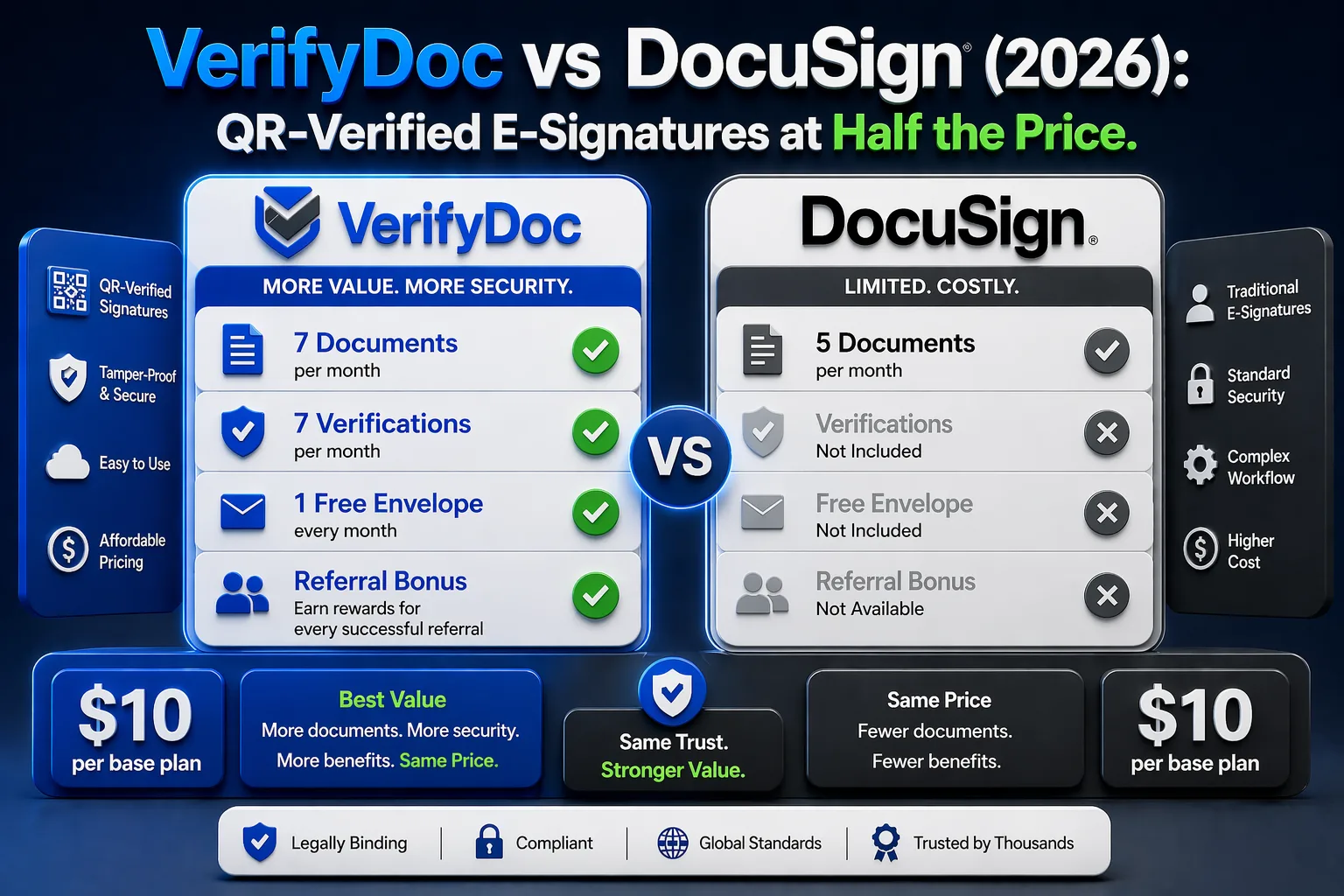
DocuSign and VerifyDoc.ai are often compared, but they solve different halves of the same problem. DocuSign is built to capture a signature and move an agreement through an approval workflow. VerifyDoc.ai is built to prove that the finished document is genuine and unaltered once it leaves your hands.
This comparison lays out where each tool is strongest, what DocuSign's certificate of completion does and does not cover, and why teams that issue documents to outside parties increasingly bolt QR-backed verification onto their signing stack rather than replacing it.
What is the difference between DocuSign and VerifyDoc.ai?
DocuSign is an e-signature and agreement-management platform; VerifyDoc.ai is a document-verification platform that proves a finished document is authentic after it is signed. DocuSign captures signer intent, records consent, and produces a tamper-evident audit trail and a Certificate of Completion for each envelope. That is the right tool for getting a contract signed. VerifyDoc.ai starts where signing ends: it attaches a QR code that resolves to a live, issuer-controlled proof page and a certificate of authenticity, so a landlord, regulator, bank, or counterparty can independently confirm the document is real in seconds. The two are complementary. One runs the signing ceremony; the other lets anyone holding the resulting PDF check it without contacting you or logging into anything.
Does DocuSign let recipients verify a document after signing?
DocuSign provides a Certificate of Completion and an audit trail, but independent post-signing verification by an outside party is limited in practice. The certificate is a separate document that lives inside or alongside the envelope; a third party who receives only the signed PDF has no simple, self-serve way to confirm it is genuine without access to the original DocuSign envelope. DocuSign can also apply digital signatures for stronger cryptographic integrity, but validating those still typically requires compatible PDF software and some technical knowledge. VerifyDoc.ai is designed for exactly this gap: a QR code on the document itself opens an issuer-controlled page that confirms authenticity to anyone with a phone camera. The check does not depend on the recipient holding the original envelope or owning specialist tools.
How do VerifyDoc.ai and DocuSign compare feature by feature?
The clearest way to choose is to separate signing capabilities from after-the-fact verification capabilities. DocuSign leads on the former; VerifyDoc.ai is purpose-built for the latter.
| Capability | DocuSign | VerifyDoc.ai |
|---|
| Capture legally binding e-signatures | Yes, core product | Supports e-signatures with verification focus |
|---|
| Agreement workflow and routing | Extensive (envelopes, templates, IAM) | Lighter, verification-centric |
|---|
| Audit trail / Certificate of Completion | Yes | Yes, plus certificate of authenticity |
|---|
| QR code on the document linking to a live proof page | No | Yes |
|---|
| Recipient verifies with no login or app | Limited | Yes |
|---|
| Hosted issuer-controlled proof page per document | No | Yes |
|---|
| Tamper-evident check by an unrelated third party | Limited | Yes |
|---|
DocuSign publishes its plans and certificate features on its pricing page, starting with a free tier and paid plans for individuals and teams.
Why are teams adding QR-verified signatures in 2026?
Teams are adding QR-backed verification because AI has made convincing document forgery cheap, and a signed PDF on its own no longer proves much to an outside reviewer. Digital document forgeries rose 244% year over year in 2024 and, for the first time, became the majority of document fraud at 57% of cases (Entrust 2025 Identity Fraud Report). For documents that move to banks, regulators, employers, or counterparties — offer letters, statements, permits, signed agreements — the recipient needs a check they can run themselves. Pairing a DocuSign signing flow with a verifiable e-signature approach lets the signature be captured in one tool and independently proven in another, without asking every recipient to trust the file on sight.
When should you choose DocuSign, VerifyDoc.ai, or both?
Choose DocuSign when your priority is collecting signatures and routing agreements at scale, especially with its broad integrations and workflow automation. Choose VerifyDoc.ai when the document must stay provable after signing — when outside parties will need to confirm it is authentic without contacting you. Most teams that issue high-stakes documents benefit from both: DocuSign to sign, VerifyDoc.ai to attach a QR code, proof page, and certificate of authenticity that survive the file being forwarded, printed, or downloaded. If you want signing and verification in one place, see our roundup of e-signature software with built-in verification and the VerifyDoc.ai e-signatures product page.