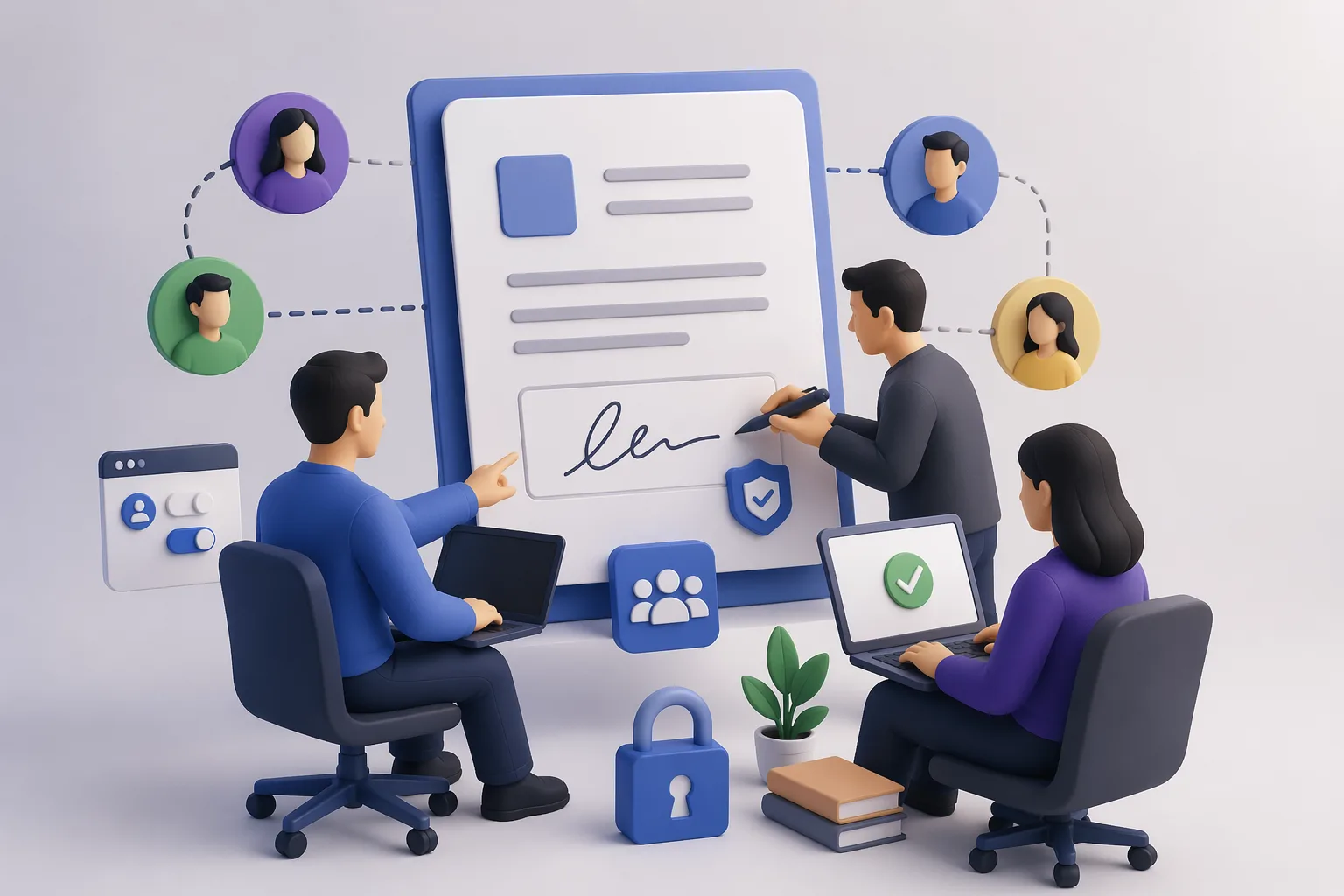
TL;DR (30 seconds): The moment you go from one person sending documents to a team, e-signature stops being about "the signing experience" and becomes about roles, permissions, templates, audit trails, and who can speak for the company. This guide walks through the seven decisions every growing team faces when setting up multi-user e-signature — and shows a reference workflow that works from a three-person startup to a hundred-person operations team without rewrites.
Why team e-signature is different from solo e-signature
A solo user signing on a free plan has one problem: get the document signed. Every team has five:
Who's authorized to send on behalf of the company? (This is a governance question, not a software one.)
- Who owns the templates? (Who gets to change the standard NDA.)
- Who approves before sending? (Legal? A manager? Nobody?)
Who signs on our side? (Dual control, delegation, succession.)
Who holds the audit trail? (And where does it live when the sender leaves the company.)
Pick an e-signature tool that makes #1–5 easy, and a team of thirty feels organized. Pick one that treats teams as "add a user seat and figure it out," and you end up with shadow workflows, expired templates, and the wrong person signing the wrong contract.
The seven decisions every team has to make
1. Roles
Most teams need four roles at minimum:
Sender. Can create envelopes and send for signature.
Signer on behalf of the company. Often a subset of senders — not every sender has authority to bind.
Template owner. Controls the master template for NDAs, offer letters, MSAs, etc. Typically one or two people in legal or ops.
Admin. Manages users, billing, compliance settings, integrations.
Overlap is fine for small teams (a CEO is all four). But naming the roles early prevents messy permissions later.
2. Templates
Templates are the single highest-leverage team artifact. A good template system:
Lets the template owner edit once and apply everywhere.
Enforces required fields (signer name, counter-signer, date, company legal name).
Blocks unauthorized edits — senders can fill in variables, not rewrite clauses.
Versions templates so expired clauses don't ship in new envelopes.
The most common team failure: everyone starts with a personal copy of the template, then no one edits the master when the clause changes. Six months later, three variants of the NDA are in production. Template ownership fixes this.
3. Approval workflows
Some documents need internal approval before going out. Offer letters might need HR sign-off before the candidate signs. Contracts over a dollar threshold might need legal sign-off.
Good team e-signature platforms let you chain internal approvers ahead of external signers: Ops drafts → HR approves → Candidate signs → Counter-signer signs. Bad ones force ops to email drafts around outside the platform, which defeats the audit trail.
4. Counter-signing and dual control
Almost every serious contract has a counter-signer on the company side. A well-designed team workflow:
Sends to the external signer first.
Routes the signed document to an internal counter-signer automatically.
Captures both signatures in one audit trail.
Optionally requires dual control — two internal people must both sign high-value documents.
Dual control is an underused governance tool. For contracts, wire transfers authorization, or sensitive HR actions, requiring two internal signatures converts a single-person risk into a team decision.
5. Team invitations and permissions
This is where "invite your colleagues" goes from marketing bullet to real governance. Every invitation should answer:
- What role? (sender, signer, template owner, admin)
- What access scope? (all envelopes, only their own, only specific teams)
- What auth? (SSO if you have it, MFA if you don't)
Who's their backup? (delegation during vacation/leave)
Platforms that bury these behind enterprise tiers force SMBs into awkward workarounds (shared logins, personal email accounts — both compliance disasters). Platforms that include sane team controls in base tiers let SMBs start secure and stay secure.
6. Audit trail ownership
The audit trail for every signed envelope should:
Belong to the organization, not the individual. If the sender leaves, the audit trail stays.
Be exportable. For compliance, legal hold, or migrations.
Survive account lifecycle changes. Deleting a user shouldn't break historical audit trails.
Many SMBs discover this the hard way when a former employee's account is deprovisioned and their envelopes become hard to retrieve. Architect for it upfront.
7. Verification by the outside world
When a signed contract leaves your organization — to a vendor, a customer, a partner — can they verify it's legitimate? If yes, how?
Most e-signature platforms handle this with email-link verification back into the sending platform. QR-code verification is the more portable approach: anyone who receives the document, on any platform, can scan to confirm authenticity. For teams whose documents are routinely re-verified by third parties (HR, real estate, education, compliance), this is the workflow decision that often matters most.
- A reference team workflow
Here's a workflow that scales from 3 to 100 people without changes:
Roles configured:
- Sender group (sales reps, HR generalists)
- Approver group (legal, HR managers)
- Signer group (executives with authority to bind)
- Admin (ops lead)
Templates maintained by legal/ops:
- NDA (mutual + one-way versions)
- Offer letter (with HR-approved clause library)
- MSA (with standard terms + negotiable addenda)
- SOW (reusable variables for scope, timeline, fees)
- Renewal / amendment (short-form)
Standard envelope lifecycle:
Sender picks a template, fills variables.
If the envelope is above a value threshold or contains non-standard clauses, it routes to an approver first.
After internal approval, it goes to the external signer.
Signed document routes to internal counter-signer.
Final signed PDF is issued with a QR-code Certificate of Authenticity embedded on the first and last pages.
Audit trail and PDF deposit to shared storage (folder permissions set by team).
Governance:
Templates reviewed quarterly by legal/ops.
Approver threshold reviewed annually.
Admin runs a monthly access review (who has sender/signer rights).
Outgoing employees have their sender rights revoked on day one, audit trails retained.
This is the boring, repeatable, organization-friendly version of team e-signature. It doesn't require enterprise software; it requires clear roles.
Multi-signer scenarios you'll run into
Sequential signing. A → B → C. Each signer's step is visible to the next. Use for contracts with internal review or legally required order (e.g., principal before agent).
Parallel signing. A, B, C all sign independently and the document is complete when the last one finishes. Use when signatures aren't order-dependent — e.g., collecting NDAs from an entire team.
Bulk send. One template to many recipients, each signing their own copy. Use for high-volume HR, vendor agreements, policy attestations.
Hybrid (most real contracts). External counterparty signs first, then two internal counter-signers in parallel. Good platforms model this natively; poor ones force you to chain two separate envelopes.
Observer routing. Certain people need to see the signed document but don't sign. (Accounting receiving a contract for booking; legal receiving an executed NDA for the repository.) Good platforms send copies automatically rather than relying on the sender to remember.
If you're setting up e-signature for a team, don't skip these:
SSO if you have an identity provider. Otherwise MFA for every user.
Role-based access control — don't give sender rights to accounts that don't need them.
Audit trail retention set to meet your industry's retention requirements (most sectors: 7 years; healthcare and finance may require more).
Access review cadence — at least quarterly, review who has sender/signer/admin rights.
Departed-user protocol — on last day, revoke all active sending/signing rights, retain the audit trail.
Sensitive document controls — templates for NDA, M&A, HR actions should be more tightly restricted than vendor invoices.
Verification story for third parties — how will external recipients confirm the authenticity of documents your team sends? See how to verify document authenticity for the framework.
Common team e-signature mistakes
Mistake 1: Shared logins. Two or three people share one "ops@company" account to save seats. Every signature becomes unattributable. Fixed by upgrading to a plan with real per-user accounts.
Mistake 2: Personal email for sending. A manager sends offer letters from gmail, not the company domain. Audit trail lives in a personal account. Fixed by mandatory company-domain senders with SSO.
Mistake 3: Everyone can edit every template. No template ownership means clause drift and expired language. Fixed by naming a template owner and making templates read-only for others.
Mistake 4: No internal approver step. Senders can send anything, including wrong-price contracts and non-standard clauses. Fixed by adding approval routing for above-threshold envelopes.
Mistake 5: Audit trail stored in personal folders. If signed documents live in individual contributors' personal drives, they leave with the contributor. Fixed by shared org storage with role-based access.
Mistake 6: No verification story for the outside world. External parties can't easily confirm the authenticity of a document your team sent. Fixed by adopting QR-code-based Certificate of Authenticity as a default on outgoing documents.
Mistake 7: Ignoring international compliance. Signing across EU boundaries requires eIDAS-compliant tiers (see guide). Teams that assume a U.S. ESIGN signature is universally enforceable get surprised.
- How VerifyDoc handles team workflows
VerifyDoc treats team collaboration as a default, not a paid upgrade:
Invite colleagues to co-send, co-sign, co-manage templates without per-seat complexity.
Role-based permissions cover sender / signer / template owner / admin out of the box.
Shared templates maintained centrally, version-controlled.
Approval workflows chain internal approvers before external signers.
Counter-signing routing built in.
Audit trails owned by the organization, not the individual; exportable, portable.
Certificate of Authenticity on every document — every outgoing envelope is third-party-verifiable via QR, not locked inside the platform.
Pricing structured to be more affordable than DocuSign, Adobe Sign, and airSlate SignNow at SMB tier, without pushing team basics into enterprise plans. See e-signature pricing compared.
The combination that matters most for teams: shared templates + clean invitations + portable verification. Teams outgrow tools that only solve the first two.
- A 30-minute setup checklist for a new team
If you're configuring e-signature for a new team from scratch, this is the sequence:
Minute 0–5. Create the admin account. Enable SSO if your org supports it; otherwise require MFA.
Minute 5–10. Define three roles: Sender, Approver, Signer. Assign initial team members.
Minute 10–20. Upload or create your top three templates (NDA, offer letter, MSA). Mark one owner per template. Set variables that senders can fill vs. fields that are locked.
Minute 20–25. Configure the default approval workflow: senders → approver (if above threshold) → external signer → internal counter-signer.
Minute 25–30. Turn on default Certificate of Authenticity issuance with QR code on outgoing documents. Set the shared storage location for signed PDFs. Run one test envelope end-to-end.
Done properly, a team goes from zero to production-ready in under an hour. The ongoing work is template maintenance and access reviews — both calendar-able, both small.
- FAQ: Team e-signature workflows
Can multiple people sign one document at the same time?
Yes. Parallel signing lets multiple signers work independently; the document completes when the last one signs. Sequential signing enforces an order. Most platforms support both; pick per document type.
How do I invite colleagues to an e-signature platform?
On platforms built for teams, invitation is a one-click action from the admin console: email the colleague, assign a role, set permissions. On solo-first tools, team invitation is often a paid upgrade that requires reworking existing envelopes.
What happens to signed documents when an employee leaves?
On properly configured team platforms, audit trails and signed PDFs remain with the organization. The departing employee's user account can be deprovisioned without breaking historical envelopes. Always confirm this before rolling out a platform — some architect user-centric, not org-centric.
Can a team share templates across users?
Yes, on team-grade platforms. The key is naming a template owner so edits don't drift across individual copies. Treat shared templates like shared code: one source of truth, version-controlled.
Do I need separate accounts for each signer in my company?
Yes. Shared accounts destroy the audit trail (you can't prove which person signed) and are usually a compliance violation. Platforms that charge excessively per user incentivize shared accounts, which is one reason SMB-friendly pricing matters.
How do teams handle signer delegation when someone is on vacation?
Good platforms let you set a backup signer who can act with explicit authority during a defined window. Document the delegation in writing, limit the window, and review authority after the period ends.
How does a team prove a document is authentic to an outside party?
The most friction-free answer is QR-code verification embedded on outgoing documents. Recipients scan the code and see a Certificate of Authenticity — no login, no call to your team's support inbox.
Bottom line
Team e-signature is less about features and more about governance. Roles, templates, approval routing, audit trail ownership, and third-party verifiability are the five decisions that separate scaling smoothly from scaling painfully. Pick a platform that makes those easy — and turn them on from day one, not after the first incident. For the full picture on proving outgoing documents are authentic, read our pillar: How to verify document authenticity in 2026.
Last updated: April 2026.