Editorial12 May 2026VerifyDoc Editorial

Verifiable Pay Stubs

How HR and Payroll Teams Can Issue Documents Recipients Can Prove Are Real

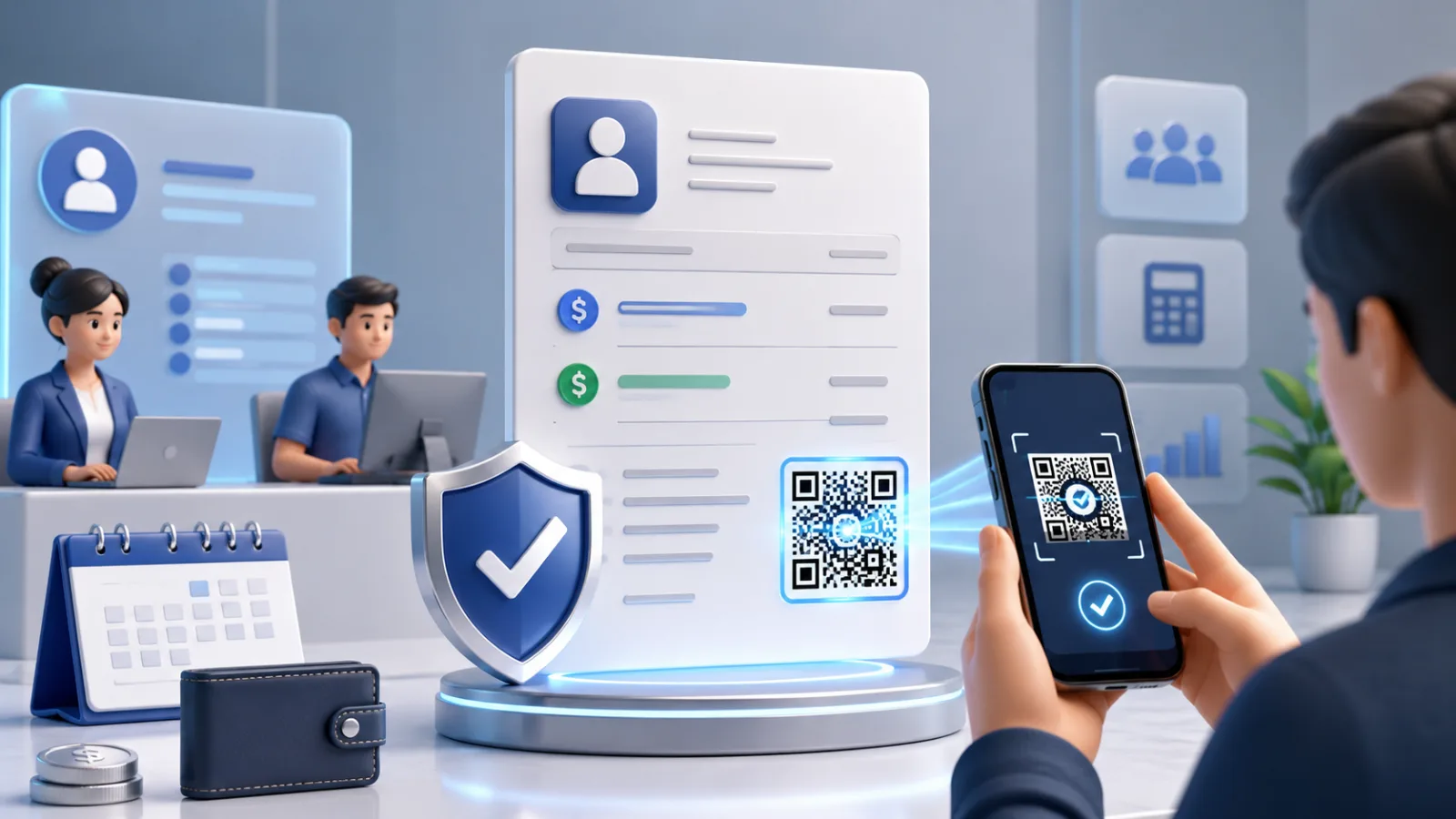
Document verification in a digital office

When a lender or landlord receives a pay stub in 2026, their default assumption is no longer that it's real. Inscribe's 2026 Document Fraud Report found that AI-generated document fraud rose roughly fivefold across 2025, and 85.56% of surveyed fraud and risk leaders now cite bank statements and income documents as their most vulnerable category. The practical consequence for the recipient: every income document is suspect until proven otherwise. The practical consequence for the issuer — the HR or payroll team that produced the original document — is more interesting, because it's structural rather than tactical.

Your employee applies for a mortgage. They submit a pay stub you produced. The lender, applying their fraud-detection workflow (covered in detail in our companion guide on detecting AI-generated pay stubs), runs the document through manual and automated checks. If the document fails for any reason — a hash mismatch on the metadata, an unfamiliar payroll-provider footer, a math check that's perfectly correct but trips a generic "looks-too-clean" classifier — the application slows, sometimes for days. Your employee, who did nothing wrong, ends up in a back-and-forth between your HR team and the lender to confirm authenticity. Your HR inbox fills with verification requests from lenders, landlords, embassies, background-check companies, and immigration services that didn't exist five years ago at this volume.

The way out is to issue documents recipients can verify without having to ask you. A verifiable pay stub is a pay stub that carries within itself the cryptographic proof of its own authenticity, plus a verification mechanism (typically a QR code) that lets any recipient confirm in seconds, on any phone, without an account, that the document is real and unmodified. The recipient stops needing to detect; they verify. Your HR inbox stops filling up. Your employees' applications move faster. The fraudsters move to easier targets, because forging a verifiable pay stub is not feasible at the document level — the underlying cryptographic signature can't be fabricated without breaking mathematics.

This article is the 2026 working guide for HR and payroll teams that want to issue verifiable pay stubs: what verifiable actually means for this specific document type, why it matters for employers even though the fraud loss isn't yours, the eight requirements of a real program, the integration paths with major payroll providers, the cost picture, and what the recipient experience actually looks like. The closely-related issuer-side guides on tamper-proof offer letters and verifiable bank statements cover the other two highest-volume documents in this category.

TL;DR — what a verifiable pay stub program needs

RequirementWhat it meansNotesCryptographic signature on every stubPAdES baseline (or equivalent for non-PDF formats) signed with a recognised certificateThe technical foundationQR code on the documentEncodes a unique verification URL on a domain you controlThe recipient's verification entry pointHosted proof pageServer-side verification + canonical document renderingWhere the recipient lands when they scanRevocation channelAbility to invalidate a stub after issuance (rescinded employment, errors)Often forgotten; matters more than people expectLong-term verifiabilityPAdES-LTV embedded validation materialStubs can be referenced years laterAudit trailScan logs accessible to your HR ops teamThe data is operationally valuableIntegration with your payroll providerNative or API-based — ADP, Workday, Gusto, Paychex, RipplingWorkflow continuityRecipient-accessible UXVerification works without an app, account, or PDF readerThe criterion most platforms still fail

These map directly to the seven verifiable-e-signature criteria from our flagship guide on verifiable e-signatures. A pay stub program meeting all seven is, by definition, verifiable in the technical sense.

Why HR teams should care, even though the fraud loss isn't yours

The standard objection from HR ops when verifiable pay stubs come up: "The fraud loss falls on the lender, not us. Why is this our problem?" The answer is empirical, and it's mostly about the cost of being the issuer in an era when issuers are routinely treated as suspect.

Verification request volume is climbing fast. HR teams report that requests from lenders, landlords, and background-check services have doubled or tripled since 2023, with most of the growth driven by recipient-side fraud paranoia rather than employee actions. Each request takes meaningful time to handle — pull the employee's record, confirm details against the document presented, respond with appropriate care for data protection. A team of three HR generalists can lose a full day a week to verification workload that didn't exist five years ago. Verifiable pay stubs eliminate most of these requests because recipients can verify directly.

Your employees are losing time on applications. Mortgages, leases, car loans, refinances — every one of these processes is now slower because lenders and landlords are spending more time on income verification. Employees who can't easily prove their income to third parties don't blame the lender; they blame the employer who issued documents that "didn't work." HR teams have started seeing this in employee experience surveys. The data is patchy but consistent.

You are downstream of your employees' downstream applications. When an employee's mortgage stalls because the lender can't verify their pay stub, the lender calls your HR team. Your team confirms. The application moves. But the friction was generated by the document format you chose. Switching to verifiable pay stubs moves this entire friction class out of your hands.

Your competitors are starting to issue verifiable. HR teams that issue verifiable pay stubs reduce verification request volume, improve employee experience metrics around financial life events, and remove a friction point that doesn't show up on the recruiting funnel but does show up in retention surveys. As more employers adopt, the ones that haven't will become the noticeable exceptions.

The compliance picture is changing. SOC 2, ISO 27001, and emerging sector-specific frameworks are starting to incorporate verifiable issuance as a control point. Our CISO's guide to document trust covers the framework angle. The direction of travel is that document verifiability becomes part of how organisations demonstrate they're managing information risk.

The HR-specific case for verifiable pay stubs isn't about preventing employer-side fraud loss (there isn't much). It's about removing operational friction, improving employee experience, reducing legal and compliance exposure, and not being the noticeable outlier when the rest of the industry has moved on.

The eight requirements of a working verifiable pay stub program

If you're evaluating vendors or designing an internal program, these are the requirements that distinguish a program that actually works from one that just claims to. The first seven are technical; the eighth is operational.

1. Real cryptographic signature on every stub

Each pay stub PDF should be signed using a cryptographic signature — for PDFs, the ETSI EN 319 142-1 PAdES standard is the baseline. The signature should:

Use a certificate from a recognised trust authority (AATL-listed CA for North American workflows, eIDAS QTSP for European workflows, or both for cross-border).

Cover the entire document content via a ByteRange that excludes only the signature object itself.

Be embedded in the PDF such that it travels with the file.

A pay stub with a graphical image of a stamp or a "signed by Acme Corp" string in the footer is not signed in this sense. Real signatures are mathematical objects, not visual ones. The distinction is unpacked in electronic signature vs digital signature.

2. QR code with a unique per-document verification URL

Every stub gets a QR code, typically in the footer, encoding a unique URL on your verification domain — for example verify.acme.com/p/8f3a2b1e. The slug should be unguessable but doesn't need to encode the document hash itself; it points into your verification system, which holds the canonical record.

The QR should be high enough resolution to scan from a printout or photograph (typically 600+ DPI in the source PDF). It should be paired with a human-readable verification reference number for the small share of recipients who can't or won't scan.

3. Hosted proof page on your domain

When the QR resolves, it should open a verification page on a domain you control — not a vendor's domain. The page must perform real-time cryptographic verification on every request (recompute the hash, verify the signature against the certificate, check certificate revocation, check document revocation), then render:

The verdict — valid, expired, revoked, or unknown — explicitly distinguished.

The canonical document, or a thumbnail with a link to download it.

The issuer identity (your organisation's name, tied to the domain shown in the URL bar).

The issuance date.

A verification reference number for audit trail.

The "your domain" point is non-negotiable. A vendor-domain verification page shifts trust away from where it should sit. Major platforms support white-label verification domains; this is now a standard requirement, not a premium feature.

4. Revocation channel

Pay stubs occasionally need to be revoked: errors that need to be reissued, payroll corrections, rescinded employment with a stub that shouldn't have gone out, identity-verification edge cases. A program without revocation is a one-way ratchet — useful for issuance, useless when you need to invalidate.

The verification page should reflect revoked status immediately when the issuer updates it. Revocation is typically operational — an HR admin can mark a specific stub as revoked through an admin interface — and should take seconds, not days.

5. Long-term verifiability

A pay stub issued today may be referenced by a downstream verifier 5–10 years from now during a background check, an immigration application, a long-tail tax matter. The signing certificate that produced the signature may have expired. The signing CA may have changed roots. The verification platform may have changed vendors.

PAdES-LTV (Long-Term Validation) embeds the certificate chain, revocation data, and a qualified timestamp into the document at signing time, allowing verification to work indefinitely against the file alone — independent of any platform's continued operation. For documents that will outlive their signing infrastructure, this is the right choice. For very short-horizon documents, baseline PAdES is sufficient. Most HR programs should default to PAdES-LTV.

6. Audit trail and scan analytics

Every scan of a verification QR is signal: when, from where (regionally — IP-level granularity is sufficient and respects employee privacy), on what device. This produces three operationally useful artefacts:

Verification analytics for HR ops. Which documents are actually being verified? At what cadence? By what kinds of recipients? This is data your team has never had before and it surfaces real workflow patterns.

Fraud signal stream. Unusual scan patterns — a single document being verified from many regions in rapid succession, a stub being verified years after issuance from an unexpected geography — are forgery indicators worth investigating.

Employee-facing transparency. Some HR programs surface scan logs to employees so they know who's verifying their documents. This is a privacy-positive feature when implemented correctly.

The audit trail should be queryable by your team, exportable for compliance purposes, and retained according to your records-retention policy.

7. Integration with your payroll provider

The hardest part of a real verifiable pay stub program is not the cryptography; it's the workflow integration. Your payroll system already produces pay stubs on a schedule (bi-weekly, semi-monthly, monthly) for every employee. The verifiable layer needs to sit in that pipeline without breaking it.

Integration patterns by major provider:

ADP — RUN, Workforce Now, and Vantage all expose APIs or partner-program integrations that allow third-party signing/verification layers to operate on generated pay stubs. Most major verification platforms have ADP-specific connectors.

Workday — supports document templates with custom watermarks and post-generation processing via Workday Studio integrations.

Gusto — has a partner API; verifiable issuance partners can post-process generated stubs before delivery to employees.

Paychex — Flex and Paychex Enterprise both support partner integrations for document signing layers.

Rippling — newer platform; supports document workflow extensions natively.

In-house payroll — direct API integration; typically straightforward if the team can produce PDFs at the end of each pay cycle.

The integration should be invisible to the employee. They receive their pay stub on the same schedule, through the same channel, in the same format — just with a QR code added and a cryptographic signature embedded.

8. Recipient-accessible verification UX

The entire program is operationally useless if recipients can't easily verify. The criterion is concrete: a recipient with no specialist tools, no account, no installed app, and no advance knowledge of your verification platform must be able to confirm a stub's authenticity using only their phone camera.

This is the criterion most platforms still fail. A pay stub program that produces beautifully cryptographic signatures but requires the recipient to use Adobe Acrobat with the right trust roots configured is, in practical terms, not verifiable for the lenders and landlords who matter.

The 2026 baseline is QR + hosted proof page rendering in a mobile browser. For details on what a well-designed verification page looks like, see our hosted proof page guide.

Building vs. buying

The honest assessment: for almost every HR team, this is a buy decision rather than a build decision.

Building from scratch requires:

A signing infrastructure with key management (HSM or equivalent).

A certificate from a recognised CA (AATL for North America, eIDAS QTSP for EU, both for cross-border).

A verification endpoint architected for high availability and long-term persistence (a 10-year promise is structurally different from a 1-year SaaS commitment).

A verification page UX designed for non-technical recipients.

Integration plumbing into whatever payroll system you use.

Ongoing operational maintenance — certificate renewals, security patching, scan-log management.

This is six to nine months of engineering work for a competent team, plus ongoing operating cost. For organisations that issue tens of millions of documents annually and have a strategic reason to own this entirely, building may make sense. For everyone else, it doesn't.

Buying means selecting a vendor whose signing infrastructure, hosted proof pages, payroll-system integrations, and white-label verification domains are productised. The right vendor should:

Support white-label verification on your domain (verify.acme.com or similar).

Use AATL-listed (or eIDAS-qualified) signing certificates.

Default to PAdES-LTV or equivalent for long-term verifiability.

Have explicit integrations with your payroll provider — not just an "API" that requires you to do the integration work.

Provide queryable scan analytics through an admin interface.

Document their data continuity and exit guarantees (what happens to your verification URLs if you switch providers).

The verification-URL portability question deserves emphasis. If you switch providers and the verification URLs you issued under the old provider stop resolving, every document you issued is now unverifiable. Insist on either domain portability (you own the domain, you can point it elsewhere) or long-term retention guarantees from the vendor.

  • What the recipient experience actually looks like

The end-to-end recipient flow, when it works:

A lender, landlord, or background-check service receives the employee's pay stub as part of an application package.

They look for the QR code, typically in the footer.

They open their phone camera, point at the QR, and tap the URL preview.

The verification page loads in their default browser, showing:

"Verified — issued by Acme Corp on March 15, 2026" prominently.

The canonical pay stub itself (or a thumbnail with a download link).

A verification reference number.

The current status — valid in this case, but distinguishing from "revoked" or "expired" where relevant.

The recipient compares the displayed canonical document to the document in their hands. They match. The pay stub is real. Total elapsed time: under 30 seconds the first time, under 10 seconds for subsequent verifications.

If anything is off — the URL domain doesn't match what's expected, the displayed document doesn't match the one in hand, the status shows revoked — the recipient escalates.

The recipient never had to call Acme HR. Acme HR never had to spend 15 minutes pulling employment records to confirm a stub they issued. The employee's mortgage application keeps moving. The verification platform logged the scan and Acme HR now has data about who is verifying what.

Multiply this across thousands of pay stubs per pay period and the operational shift is substantial.

The cost picture

Real numbers, in rough ranges:

Per-document cost ranges from approximately $0.05 to $0.50 per pay stub at typical employer volumes, depending on vendor, signature tier, and integration depth. At a company issuing 10,000 pay stubs per pay period across 26 pay periods per year, that's roughly $13,000–$130,000 annually in direct verification cost.

One-time integration cost is typically $5,000–$50,000 depending on payroll system, custom requirements, and white-label domain setup. Some payroll providers' native integrations are no-cost; others require partner-specific work.

Operating cost offset comes primarily from reduced verification request volume on the HR team. A team handling 200 verification requests per month at 15 minutes each is spending 50 hours per month on the workflow; verifiable pay stubs typically reduce this by 70–90%. At fully-loaded HR cost, the offset alone can justify the program before counting downstream employee-experience benefits.

Compliance cost offset is harder to quantify but real. Organisations operating under SOC 2 or ISO 27001 frameworks where document trust is a control point find that verifiable issuance is significantly cheaper to demonstrate than the equivalent process-based controls.

Net: for employers above approximately 500 employees, verifiable pay stub programs typically pay for themselves through HR operational savings alone within the first year, before any of the strategic benefits are counted.

Common objections, addressed

"Our employees don't ask for this." They don't — until they need a mortgage approved in three weeks instead of six. The benefit is invisible until the moment it matters, and it matters in the highest-stress financial events of an employee's life.

"Our pay stubs are already signed." Possibly — but signed how? Run the three-test diagnostic from our verifiable e-signature flagship: open one in Acrobat (is the signer identity recognised?), try to verify on a machine that's never used your platform (does it still work?), find the QR code (does a non-technical recipient have a verification path?). Many "signed" pay stubs fail at least one of these.

"Privacy — putting a QR on every pay stub exposes employee data." No more than the pay stub itself already does. The QR encodes only a verification URL; the verification page exposes only the same data the recipient already has in the pay stub. The scan logs are kept by the issuer and don't expose anything to third parties. Privacy concerns are real but are about data minimisation in the underlying document, not about adding verification.

"Our payroll provider doesn't support this." Increasingly inaccurate. ADP, Workday, Gusto, Paychex, Rippling, and most other major providers have partner integrations or APIs for verifiable issuance layers. The smaller and more niche providers are catching up. For an in-house payroll system, the integration is a few weeks of engineering work at most.

"What about employees who lost the original PDF and want to share a screenshot?" Works fine. The QR survives photography, screenshots, and printouts. The verification still resolves correctly because it's anchored to the verification endpoint, not to the file's intrinsic state.

"How do we handle revocation when an employee disputes a stub?" The revocation flow is operational, not technical. Your HR admin marks the stub as revoked; the verification page immediately reflects this. The original signature remains in place — revocation doesn't unsign anything — but verifiers see the status change in real time.

  • Where to start

The pragmatic implementation order, for an HR team taking this on:

Month 1: Pick a vendor that supports your payroll provider with a native integration, supports white-label verification on a subdomain you control, and uses AATL-listed (or eIDAS-qualified) certificates. Set up the verification subdomain. Begin issuing verifiable pay stubs to a pilot population (one department, a single office).

Month 2: Expand to the full pay stub population. Track scan volume in the verification analytics dashboard. Compare against the volume of verification requests you used to handle manually. Communicate the change to employees — most won't notice, but a short FAQ in the employee benefits portal helps.

Month 3: Extend to adjacent documents — employment verification letters (our HR playbook covers this), W-2 endorsements where supported, certifications and credentials issued by your training programs.

Beyond: Use the scan analytics to identify which recipients are heavy verifiers and consider proactive partnerships (e.g., a frequently-used regional lender that's verifying hundreds of your stubs per month is a candidate for a simplified workflow integration). Use the operational savings to justify expansion to other document categories.

The full architecture and category landscape are covered in our scan-to-verify documents pillar guide.

  • Frequently asked questions

Is a verifiable pay stub the same as a digitally signed PDF?

Closely related but not identical. A digitally signed PDF satisfies several of the verifiable e-signature criteria (cryptographic content binding, tamper evidence, identity binding if the certificate is from a recognised authority). A verifiable pay stub adds the recipient-accessible verification UX (typically QR-based) and the issuer-controlled hosted proof page. Our flagship verifiable e-signature definition has the seven criteria in full.

Do we need our employees' consent to add QR codes to pay stubs?

Generally no — the QR encodes only a verification URL, not personal data, and you're already authorised to issue pay stubs in whatever format. Some employers communicate the change as part of normal HR comms; it's not legally required but is good practice.

What about employees in jurisdictions with stricter privacy rules (GDPR, etc.)?

The QR itself doesn't introduce GDPR exposure — it carries a verification URL, not personal data. The verification page exposes the same data the pay stub itself contains, which the employee already received. Scan logs are processed by the issuer (you) and should be retained according to your existing data retention policies. Most EU HR teams find that verifiable issuance is better from a GDPR perspective than alternatives like sharing the pay stub with third parties via email.

Can we use this for retroactive pay stubs (back-dating verification)?

You can sign documents at any point, but the signing date and the document's stated pay period are different fields. A pay stub for a 2024 pay period that was signed and issued in 2026 will show both dates in the verification page; this is honest and useful, and the underlying cryptographic signature is still valid. For backfilling historical documents (e.g., issuing verifiable replacements for stubs that were originally issued without verification), this works and is increasingly common.

Does the verification work if the employee leaves the company?

The signature itself doesn't depend on their continued employment. The pay stub remains verifiable as long as the verification URL resolves, which depends on your continued operation of the verification endpoint (or, for PAdES-LTV signatures, against the file alone even if the endpoint disappears). Best practice: keep historical pay stubs verifiable for at least the standard records-retention horizon for your jurisdiction (typically 4–7 years for US payroll records).

What's the cost of not doing this?

Hard to quantify directly but composed of: HR team time spent handling third-party verification requests; employee dissatisfaction during financial life events when their documents create friction; slowing brand position relative to employers that have moved; growing exposure on compliance frameworks that increasingly expect verifiable issuance. The aggregate is significant for employers above a few hundred employees; most teams that implement verifiable pay stubs report positive ROI within a year.

Are there industries where verifiable pay stubs are now expected?

Yes — fintech and lending, real estate (where the workforce frequently applies for mortgages on the company's own product), professional services (where employee credibility intersects with client trust), and large enterprises in regulated sectors. The pattern is spreading across HR-led adoption rather than vendor-pushed adoption.

What if our employees use multiple income sources (W-2 + 1099)?

Different documents require different verification flows. Pay stubs for W-2 income use the workflow described in this article. 1099 income from gig platforms or contracts uses different formats and verification patterns; some are starting to issue verifiably (the Cluster B detection guides on W-2s cover the broader tax-document landscape). The patterns are converging.

Does this protect us from employee-side fraud (an employee falsifying their own stubs)?

Yes, substantially. An employee who tries to alter a verifiable pay stub before submitting it downstream will produce a document whose signature no longer verifies. The lender or landlord sees the verification failure and rejects. This is one of the underappreciated employer-side benefits — verifiable issuance protects you from being downstream of your own employees' attempts to misrepresent their income.

How does this fit with our records-retention policy?

The verifiable pay stub is, from a records perspective, the same document you were already retaining — just with a signature and verification mechanism added. Records-retention obligations don't change. The verification audit trail (scan logs) is new and should be added to your retention policy at appropriate horizons.

VerifyDoc.ai produces verifiable pay stubs and other HR documents with QR-based recipient verification, white-label on your verification domain, and integrations with major payroll providers. For the recipient-side picture, see our detection guide on AI-generated pay stubs; for the broader category architecture, our scan-to-verify documents pillar guide.

Back to blog