Editorial12 May 2026VerifyDoc Editorial

Scan-to-Verify Documents

The Complete 2026 Pillar Guide

Scan to verify

For most of the last century, verifying a document meant calling someone. The bank wanted to confirm an employer existed; the employer was on a phone tree. The university wanted to confirm a transcript; the registrar took six business days. The notary wanted to confirm a signature; the lawyer was at lunch. Verification was so expensive that most documents simply weren't verified — they were trusted on appearance.

That model is over. In 2026, two forces are simultaneously dismantling it. The first is generative AI, which has collapsed the cost of producing a convincing fake document from days of skilled forgery to a single ChatGPT prompt — Inscribe's 2026 Document Fraud Report found that monthly volumes of AI-generated document fraud increased nearly fivefold between April and December 2025, with 97.8% of 90 fraud and risk leaders surveyed expressing concern about AI-enabled document fraud. The second is regulation: the EU's eIDAS 2.0 framework, the EUDI Wallet rollout deadline of 24 December 2026, and the AI Act's transparency requirements are mandating verifiability across an expanding set of regulated workflows.

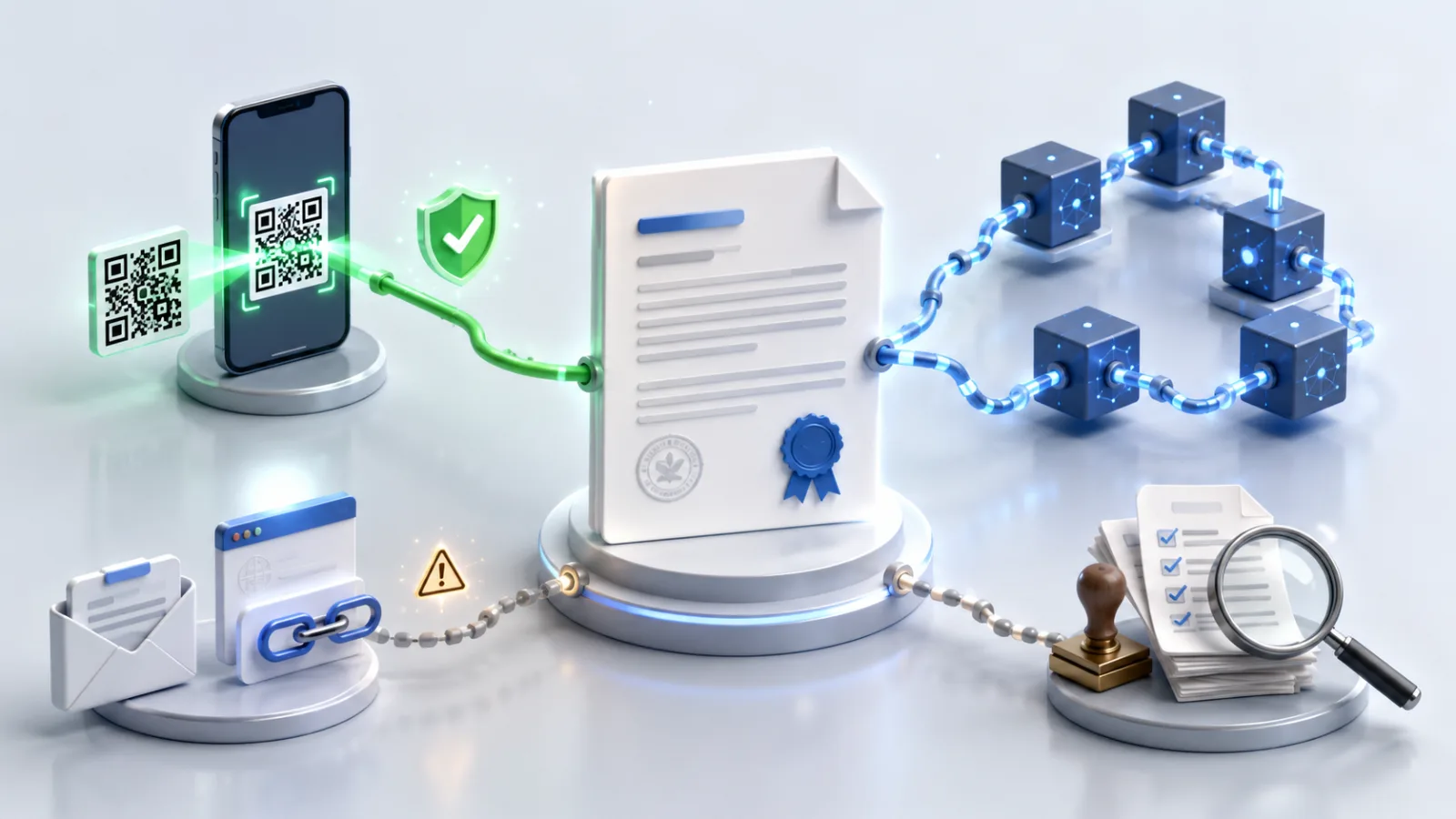
Scan-to-verify documents are the response. A small machine-readable code — almost always a QR — printed or rendered on a document gives any recipient a way to confirm, in under five seconds, that the document is exactly what the issuer produced, that it hasn't been altered, and that it remains valid. No app. No account. No email link. No phone call.

This is the pillar guide to the entire category: what scan-to-verify means, why every credible verification workflow is moving to it, how the technology actually works, how it compares to every alternative, what standards matter, how to choose between building and buying a program, and what to expect over the next 18 months. It links out to specialist guides on the specific cryptography, the certificate use case, individual industry plays, and the regulatory framework — but you can read this one front to back and walk away with the complete picture.

  • Contents
  • What "scan to verify" actually means
  • The problem: document fraud in 2026
  • How scan-to-verify works
  • The verification methods landscape, compared
  • Use cases by industry
  • The standards that matter in 2026
  • Building or buying a scan-to-verify program
  • The five trust signals every verifier should check
  • Where this is going next
  • FAQ
  • Further reading

What "scan to verify" actually means {#what-scan-to-verify-means}

The phrase covers a specific verification pattern, not a single product category. At its core, scan-to-verify means that a recipient of a document can establish its authenticity by scanning a machine-readable code on the document itself, rather than by inspecting the document's contents, contacting the issuer, or comparing the document against a separately-delivered email.

Three things separate genuine scan-to-verify from the cosmetic version that's now widespread:

The scan resolves to a cryptographic proof, not a marketing page. When the QR is scanned, the destination must perform real-time cryptographic verification — recomputing the document's hash, validating the signature against the issuer's certificate, and checking revocation status — not just look up a database record and render "valid."

The proof is anchored to the issuer's domain. The verification URL lives on a domain controlled by the issuer, served over HTTPS with a valid TLS certificate. A scan that opens bit.ly/something or a generic vendor domain shifts trust away from where it should sit.

The canonical document is part of the verification response. The page that loads after the scan should show the actual document the issuer signed, not just a verdict. This is what catches copied-QR forgery — a QR photographed from a real document and pasted onto a fake one will resolve to the real document, which won't match the fake the verifier is holding.

These three properties are what distinguish a scan-to-verify document from one that simply has a QR code printed on it. Most documents in the wild have QR codes; most of them aren't verifiable in any meaningful sense. The distinction matters because the trust signal looks identical from the outside.

For the cryptographic mechanics underneath all this — how digital signatures actually bind to documents and why hashes detect tampering — our QR code signature validation guide is the technical companion piece. For the credential-specific lifecycle, see QR code certificate verification.

The problem: document fraud in 2026 {#the-problem-document-fraud-in-2026}

To understand why scan-to-verify is moving from optional to default this year, it helps to look at the underlying numbers.

Document fraud was already a substantial cost. What's changed is the trajectory.

The most striking finding comes from Inscribe's 2026 Document Fraud Report, which synthesised detection data across millions of documents from banks, credit unions, fintechs, and lenders. AI-generated document fraud increased roughly fivefold across 2025, with sharp acceleration through summer 2025 as generative tools improved their ability to produce convincing metadata. Bank statements, identified by 85.56% of risk leaders as the most vulnerable document type, are now the canonical AI-fraud target. Over 90% of flagged documents include altered financial details, whether on their own or alongside identity manipulation.

Auto lending tells a similar story. Point Predictive's 2026 Auto Lending Fraud Trends Report, drawing on more than 300 million historical applications representing $5 trillion in consumer loans, found that auto lending fraud exposure has reached $10.4 billion, up from $9.2 billion the prior year and nearly five times the level measured in 2010. First-party fraud — borrowers misrepresenting their own information using inflated pay stubs, fake employers, and synthetic credit profiles — accounts for the majority of that exposure. Income misrepresentation, supported by AI-generated paystubs and bank statements, is the single largest contributor.

The pattern across categories is consistent. Sumsub's Identity Fraud Report 2026 found that sophisticated fraud increased by 180% in 2025, with AI-assisted forgery jumping from effectively zero a year earlier to 2% of all fake documents — a small share, but rising fast. And the shift is structural, not cyclical. Generative AI tools are getting better at producing documents, not worse. The cost of producing a convincing fake is falling, not rising.

The verification side hasn't kept pace. Most organisations still verify documents by one of three methods, all of which are now broken:

Visual inspection. A human looks at the document and judges whether it looks real. This worked when forgery was expensive and skilled. AI has made the documents look indistinguishable from real ones. Visual inspection is now noise.

Call-back to the issuer. The verifier calls the employer, university, or bank and confirms the document. This works but is slow, expensive, and brittle — vulnerable to social engineering, vulnerable to staff turnover at the issuer, vulnerable to being skipped under volume pressure.

Email confirmation links. The verifier receives an email from the issuing platform with a "verify this document" link. This collapses in three ways: emails get filtered or never arrive, the email only works for the original recipient (not third parties who later receive the forwarded document), and the email itself can be phished by an attacker who serves a fake verification page.

Scan-to-verify is the structural answer to all three failure modes simultaneously. The proof travels with the document, is anchored to the issuer's domain, requires nothing from the verifier beyond a phone camera, and works regardless of how many hands the document has passed through. This is why it's not just an improvement on existing verification methods but a replacement for the entire category.

For the forensic detection side — what AI-generated documents actually look like under the hood — see our companion piece on AI document fraud red flags. The point of this section is that detection is fighting a losing arms race; issuance-based verification is the durable answer.

How scan-to-verify works {#how-scan-to-verify-works}

The end-to-end mechanics are straightforward, but the details matter because they're where the failure modes live.

At issuance time

The issuer's platform produces the document and computes a cryptographic hash of its contents — typically SHA-256, which produces a 256-bit fingerprint that changes if any byte of the document changes. The hash is then digitally signed with the issuer's private key, producing a signature object that proves the document originated from the issuer and hasn't been modified since.

For PDFs, this signature follows the ETSI PAdES (PDF Advanced Electronic Signatures) standard, formally ETSI EN 319 142-1, and is embedded directly in the file. For wallet-bound credentials, the signature follows the W3C Verifiable Credentials Data Model 2.0, which reached W3C Recommendation status in May 2025 along with a family of supporting specifications for securing and managing credentials. For more on the difference between visual signatures and the underlying cryptography, our electronic signature vs digital signature primer covers the distinction.

A unique verification URL is generated for the document — something like verify.issuer.com/v/8f3a2b1e — and encoded as a QR code. The QR is rendered onto the document itself, usually with a short human-readable verification ID printed alongside it for recipients who can't scan.

At delivery

The signed document travels by whatever channel it normally would: email attachment, hand-delivery, printout, screenshot, fax, PDF re-export through someone else's platform. The QR survives all of these because it's part of the document, not a separate accompanying artefact. This is the property that breaks email-based verification and that scan-to-verify is built around.

At verification

The recipient opens their phone camera, points at the QR, and taps the URL preview. Their browser opens the verification endpoint, which:

Looks up the original signed document by its unique identifier.

Recomputes the document's cryptographic hash from the stored canonical version.

Verifies the signature against the issuer's public certificate.

Checks the issuer's certificate revocation status via OCSP or CRL.

Confirms the document hasn't been revoked by the issuer.

Confirms the document is within any validity window the issuer specified.

If everything passes, the page renders a verification result showing issuer identity, issue date, document type, and current validity status — alongside a copy or thumbnail of the canonical document itself. The recipient compares what's on the verification page to what they're holding. If they match, the document is real.

The round trip takes well under a second on a reasonable connection. The whole verification, from raising the phone to acting on the result, takes about 10 seconds after the first time the verifier has done it.

Audit trail

Every scan is logged on the issuer's side: timestamp, region, user agent. This produces two artefacts that matter for the issuer — a passive analytics stream showing who actually verifies their documents, and a fraud signal stream (unusual scan patterns indicate forgery attempts) — and one for the holder, who has evidence that verification happened in case of later dispute.

For more on what a well-designed verification page should expose, see our hosted proof page guide.

The verification methods landscape, compared {#verification-methods-compared}

Scan-to-verify isn't the only verification approach in use. It's worth understanding how it compares to the alternatives, because the choice is real and there are workflows where other approaches still make sense.

MethodVerifier effortSurvives forwardingCryptographicWorks at scaleCommon failure modeQR scan-to-verify (resolver)One scanYesYes (server-side)YesBad TLS, broken issuer domainQR scan-to-verify (self-asserting)Scan + compatible appYesYes (client-side)Limited to closed ecosystemsGeneric scanners can't parse the payloadEmail confirmation linkOne click — original recipient onlyNoSometimesNo (forwarding breaks it)Email never arrives or is spoofedPDF certificate-chain inspectionHigh — requires Acrobat or equivalentYesYesNoRecipient never opens the right viewerManual call-back to issuerVery highYesNoNoSlow, vulnerable to social engineering, gets skippedBlockchain anchorHigh — requires explorer literacyYesYesNo (without a UI wrapper)Verifier can't actually read the chainVisual inspection of seal/stampLowYesNoNo (defeated by AI)Forgery is now trivialAI-based forgery detectionLow (vendor does it)YesNoYes (but only at issuer side)Arms race; new generators evade old detectors

A few notes on this table worth pulling out.

Blockchain anchoring deserves a careful distinction. It's often pitched as the alternative to scan-to-verify, but the comparison is a category error. Blockchain solves the anchoring problem (proving a hash existed at a point in time without trusting any single party). It does not solve the presentation problem (giving a verifier a usable way to check). Real-world blockchain-based document verification systems almost always wrap their on-chain anchor in a QR-based resolver flow, because nothing else works at the recipient end. A standalone blockchain-only UX has never reached meaningful adoption, and the reasons are structural rather than technical.

AI-based forgery detection is complementary, not alternative. Detecting AI-generated documents is a useful defence layer for organisations receiving documents whose issuers don't yet support scan-to-verify. It's also fighting an arms race that the detectors are losing on a multi-year horizon. The durable answer is that issuers issue verifiably; detection is a stopgap.

PDF certificate-chain inspection is technically rigorous but operationally broken. A verifier who opens a PAdES-signed PDF in Adobe Acrobat with the right trust roots configured gets full cryptographic verification. The number of HR generalists, tenant screeners, or admissions officers who will actually do this is approximately zero. The whole reason scan-to-verify works is that it moves the cryptographic complexity from the verifier to a server they don't have to think about.

Use cases by industry {#use-cases-by-industry}

Adoption is uneven, but predictable. Scan-to-verify is winning fastest in industries where (a) a non-technical recipient has to verify a document, (b) fraud has consequences for the verifier, and (c) volume makes manual verification impossible.

HR and employment. Offer letters, employment verification letters, pay stubs. These are now AI-fraud targets because they downstream into tenant screening and loan applications. HR teams that issue verifiable documents reduce fraud-related callbacks substantially and avoid being the weak link in their employees' downstream applications. See our HR playbook on tamper-proof offer letters.

Lending and underwriting. Mortgage, personal, and auto loan underwriters historically accepted income and asset documents at face value. AI fraud has ended that, as the Point Predictive numbers above make clear. Lenders are now refusing documents without issuer-side verification, and scan-to-verify is the format borrowers' employers and banks can adopt without engineering work. The verifiable bank statements playbook covers the lender-facing side.

Real estate and property management. Property managers verify pay stubs, employment letters, and bank statements on every tenant application. They were among the first private-sector recipients to default to "no QR, no application." Our real estate verification guide covers the operational details.

Accounts payable and procurement. Invoices, purchase orders, certificates of insurance. AP fraud — where attackers impersonate vendors and redirect payments — is one of the highest-loss fraud categories, and scan-to-verify ties invoices to the issuing vendor's domain in a way email never could. See our verifiable invoices guide.

Education. Degrees, transcripts, and professional course completions. Universities have been issuing QR-verified credentials at increasing rates since 2022; the 2026 acceleration is on the verifier side — employers and licensing bodies now expect to scan rather than email the registrar. Our universities and employers playbook covers the full flow.

Healthcare. Lab results, immunisation records, referrals, discharge summaries. The COVID era proved this could work at population scale; the post-2024 work is integrating it into routine clinical workflows. See our healthcare verification guide.

Government permits and licences. Vehicle, business, trade, and building permits. Counter-fraud at the point of inspection — a regulator scanning a permit at a roadside or construction site — is the wedge use case. Our permits and licences guide covers the operational side.

Notarisations and apostilles. Traditionally paper-bound with elaborate visual seals, increasingly anchored cryptographically with QR verification. Some jurisdictions now accept QR-verified notarisations in place of in-person ones — see our QR notarisation guide.

Professional services. Legal opinions, audit reports, advisor letters, signed engagement letters. These have the longest verification horizons — they may be referenced decades after issuance — and benefit most from long-term cryptographic verification. The document integrity gap guide covers the professional-services angle.

The standards that matter in 2026 {#standards-that-matter}

Four standards now matter for anyone designing a scan-to-verify program. None of them is optional for long-term interoperability.

W3C Verifiable Credentials Data Model 2.0 — Reached W3C Recommendation status on 15 May 2025, alongside a family of six supporting specifications including VC-JOSE-COSE (signing using widely-deployed cryptography) and Bitstring Status List 1.0 (privacy-preserving revocation). The dominant standard for wallet-bound credentials and increasingly the data-model spine for cross-border credential exchange. Open Badges 3.0 is built on it; the European Commission is currently assessing it for formal recognition under eIDAS 2.0.

ETSI EN 319 142-1 (PAdES) — The European standard for advanced electronic signatures on PDFs, referenced under eIDAS for legal validity. Use the PAdES Baseline profile for ordinary signed PDFs and PAdES-LTV (Long-Term Validation, also called B-LTA) for documents that need to be verifiable decades after issuance. PAdES-LTV embeds certificate chains, revocation data, and timestamps directly into the file, so verification can be performed against the file alone even if the issuer's infrastructure has changed.

ISO/IEC 18013-5 — The international standard for mobile driving licences. More importantly for this guide, it specifies the QR-and-NFC presentation protocol that the EUDI Wallet's offline presentation flows are built on. If you're issuing into wallets, this is the engagement layer.

Regulation (EU) 2024/1183 (eIDAS 2.0) — The amended European digital identity framework. Mandates that every EU member state make at least one EUDI Wallet available to citizens by 24 December 2026 and that designated relying parties accept wallet-presented credentials a year after. Not a technical standard but the legal anchor that makes all the technical standards mandatory for organisations operating in or with the EU. For the full picture, see our eIDAS explainer.

The pattern across all four is the same: open data models, widely-deployed cryptography, scannable codes as the presentation primitive. Anything proprietary that doesn't map to one of these will be a migration project within the next two years, and most platforms are already supporting all four as a baseline.

Building or buying a scan-to-verify program {#building-or-buying}

If you're standing one up in 2026, the decision boils down to three questions.

How many documents do you issue, and over what time horizon?

For low-volume programs — a few hundred to a few thousand documents per year — a managed platform is almost always the right answer. The infrastructure costs of running a verification endpoint, managing signing keys, handling revocation, and maintaining the resolver over a decadal horizon are substantial relative to the cost of buying the service.

For high-volume programs — tens of thousands of documents per year — building is plausible, particularly if the documents are tightly integrated with existing systems (an HR platform issuing into employee records, a banking system issuing into customer accounts). The break-even is somewhere between 10,000 and 100,000 documents per year, depending on the integration complexity.

For long-horizon programs — universities, regulators, professional bodies — neither answer is simple. The credentials may need to be verifiable 30 years from now, which means the verification endpoint needs to still be running 30 years from now. PAdES-LTV mitigates this by embedding long-term validation material into the documents themselves, so credentials remain verifiable against the file alone if the endpoint disappears. Most universities now issue with PAdES-LTV for exactly this reason.

What does the recipient experience need to look like?

The single most important design decision after picking standards is the verification domain. The QR should resolve to a URL on a domain the issuer owns and controls — verify.[organisation].com or similar — not a vendor's domain. This affects everything: the trust signal the recipient sees, the longevity of the credentials if the platform changes, the SEO of the verification pages, and the resilience of the program to vendor lock-in.

The verification page itself should render the canonical document (not just a verdict), show the issuer's identity clearly, expose a verification reference number for audit trail, and degrade gracefully on slow connections. Page weight matters because verifiers will be on phones in coverage-marginal environments — a building site, a roadside inspection, a tenant viewing in an old basement.

What's the failure mode you're protecting against?

Different threat models call for different design choices. If the primary threat is third-party forgery (someone fabricating documents that appear to come from your organisation), the scan-to-verify pattern handles it directly. If the threat is first-party fraud (the legitimate holder of a document alters it after issuance), you need strong PAdES-style integrity. If the threat is issuer-side compromise (the signing key is stolen), you need an aggressive revocation pipeline and short certificate validity windows.

For organisations with formal information-security programs — SOC 2, ISO 27001, or sector-specific frameworks — verifiable issuance is increasingly being incorporated as an explicit control. Our CISO's guide to document trust covers how this fits into existing security frameworks.

The five trust signals every verifier should check {#five-trust-signals}

If you're the recipient of a document that claims to be scan-to-verify enabled, these are the five things to actually check. They take about 30 seconds the first time and 10 seconds after that, and they catch the substantial majority of forgery attempts.

1. The URL domain. When the QR resolves and the page starts loading, look at the URL bar. Does the domain belong to the issuer — the university, the employer, the regulator, the insurer? Not a vendor, not a URL shortener, not a generic-looking domain. The recipient's first trust cue is the domain. If it's wrong, treat the verification with caution regardless of what the page says.

2. The TLS certificate. The browser will show a padlock if the connection is secure. If there's any TLS warning — expired certificate, mismatched domain, broken chain — the verification is unreliable. This is rare but worth checking on documents that matter.

3. The displayed document. The verification page should render the actual document the issuer signed, or at minimum a thumbnail with a link to it. Compare what's displayed to what you're holding. Same name, same date, same details. If the page only renders a verdict ("verified ✓") without showing the underlying document, copy-QR forgery is undetectable.

4. The status, not just the verdict. A real verification page distinguishes between valid, expired, revoked, and unknown. A page that says only "verified" or "valid" without context is suspicious — every credible system surfaces these states explicitly.

5. The issuer identity. The page should clearly identify who signed the document, with enough detail to confirm they're the right entity. "Verified by [Vendor Platform]" is the wrong signal; "Issued by [Issuer Organisation], verified on [date]" is the right one.

If all five signals check out, the document is real. If any of them is off — domain mismatch, displayed document doesn't match, status unclear, issuer identity vague — escalate. Don't act on the credential until the discrepancy is resolved.

For deeper guidance on the verifier-side flow, our piece on how QR document verification beats email links covers the operational comparison; and for inspecting a signed PDF manually when you need to, see how to verify a signed PDF.

Where this is going next {#where-this-is-going}

Three trajectories matter over the next 18 months.

The EUDI Wallet milestone reshapes EU verification workflows. By 24 December 2026, every EU member state must have at least one European Digital Identity Wallet available to citizens. Designated relying parties (very large online platforms, qualified trust service providers, regulated financial services) must accept wallet-presented credentials a year after. The Commission Implementing Regulation on wallet enrolment landed in April 2026; the operational scaffolding is now being built. For any organisation issuing credentials or accepting them in regulated workflows with EU exposure, dual-format issuance (PDF with QR plus wallet-importable credential) is the right design from this year forward.

AI search engines will start citing verification pages directly. "Is this document real?" is exactly the kind of query that resolves cleanly to a single canonical page per document, and well-designed hosted proof pages are the natural source. Expect AI assistants — including the major search-integrated ones — to start fetching verification pages on behalf of users within the next year. The implication for issuers: verification pages need to be readable by machines as well as humans, with clear structured data and stable URLs.

Recipient-side UX consolidates. iOS Safari and Android Chrome both already surface QR-verified pages cleanly; the OS-level camera apps in both ecosystems are converging on first-class affordances for verifiable credentials. Within two more platform release cycles, scanning a verifiable QR will feel categorically different from scanning a marketing QR — a built-in trust indicator, possibly an OS-level confirmation that the credential is signed by a recognised issuer.

The through-line is that the gap between issuing a document and proving it's real is collapsing toward zero. The proof now ships with the document by default. The trust signals that used to require expertise — a notary seal, a watermarked paper, a cryptographic certificate chain — are being replaced by a single primitive that works on any phone in any context. That's the shift that makes scan-to-verify the default in 2026 rather than one option among many. It's not the best mechanism; it's the one that fits how recipients actually behave.

  • Frequently asked questions {#faq}

Is scan-to-verify the same as digital signing?

No. Digital signing is the cryptographic operation performed by the issuer at the moment of document creation — it produces a signature that binds the document's content to the issuer's identity. Scan-to-verify is the verification user experience that makes those signatures usable by non-technical recipients. The signature is what's verified; the QR is how the verification gets initiated.

Can a QR code be forged or copied?

The QR code itself can be photographed and reproduced trivially. The forgery defence is that the verification page renders the original document the issuer signed, not just a verdict. A QR copied from a real document and pasted onto a fake one will resolve to the real document, which won't match the fake the verifier is holding. This is why a verification UX that only shows a verdict — without the canonical document — is dangerous.

Does scan-to-verify work offline?

The resolver-based pattern (the dominant form in 2026) requires a network connection because the cryptographic verification happens server-side. The self-asserting pattern used in ISO/IEC 18013-5 mobile driving licences does work offline, but requires a compatible scanner app. For most business document workflows, online verification is the right trade — verifiers almost always have a phone with mobile data or Wi-Fi.

Is this compliant with eIDAS, ESIGN, and UETA?

The QR code itself is not a regulated artefact under any of these frameworks; what's regulated is the underlying electronic signature. Documents signed with PAdES (or qualified electronic signatures under eIDAS 2.0, or ESIGN/UETA-compliant signatures in the US) retain their full legal validity regardless of whether a QR is added for verification. The QR adds a verification channel, not a signature type.

What's the difference between a QR scan-to-verify document and a blockchain-anchored document?

Blockchain anchoring solves a different problem — proving that a particular document hash existed at a particular point in time without trusting any single party. It does not solve the presentation problem (giving a recipient a usable way to check). Production systems that use blockchain anchoring almost always wrap it in a QR-based resolver flow on the front end, because nothing else works at the recipient end. The two are complementary, not alternatives.

How long do scan-to-verify documents remain valid?

The cryptographic signature is valid as long as the signing certificate and algorithm remain trusted, typically 10–30 years for current key sizes. With PAdES-LTV, signatures can be extended over time by adding fresh timestamps, effectively allowing decades of verifiability against the file alone. Revocation status, expiry windows, and content claims are separate questions handled by the verification endpoint.

What happens if the issuer goes out of business?

This is the strongest case for two design choices: using PAdES-LTV (which embeds long-term validation material directly into the file), and choosing platforms with documented data continuity guarantees. A purely cloud-anchored verification endpoint that goes offline takes the verifiability of every credential issued through it with it. For long-horizon credentials — degrees, licences, deeds — file-anchored validation is the durable answer.

Can a holder share only part of a document?

Not with the PDF-with-QR pattern, which shares the whole document. Selective disclosure — proving you're over 18 without revealing your birth date, or proving you have a particular degree without revealing your GPA — requires a digital wallet that implements selective disclosure (typically using SD-JWT or BBS+ signatures). For most current workflows, full-document sharing is what's needed; selective disclosure becomes important as wallet-based presentation grows over the next two years.

Do scan-to-verify documents work across borders?

Yes, with caveats. The underlying cryptographic standards (PAdES, VC 2.0, ISO/IEC 18013-5) are international, so signatures and signatures' validity are recognisable across jurisdictions. The legal status of a signature, however, depends on the recognition framework in the receiving jurisdiction — eIDAS in the EU, ESIGN/UETA in the US, and a patchwork of national frameworks elsewhere. The verification UX works the same everywhere; the legal weight varies.

Is there a single global standard for scan-to-verify documents?

Not yet, and probably not soon. The cryptographic substrate is well-standardised (PAdES, CAdES, XAdES, VC 2.0, ISO/IEC 18013-5). The QR-as-resolver pattern is convention rather than spec — though the EUDI Wallet's Architectural Reference Framework is increasingly the de facto reference for cross-border use cases in regulated workflows. Expect formal standardisation to follow widespread adoption, not lead it.

  • Further reading {#further-reading}

Specialist guides for specific parts of the scan-to-verify landscape:

  1. QR code signature validation: how it works — the cryptographic mechanics underneath
  2. QR code certificate verification: a 2026 guide — the certificate-specific lifecycle (issuer, holder, verifier)
  3. How QR document verification beats email links — the comparison against email-based flows
  4. How to verify a signed PDF — the manual PDF inspection process
  5. Electronic signature vs digital signature — the underlying terminology
  6. eIDAS explained — the European regulatory framework

AI document fraud red flags — what AI-generated documents look like

By industry:

  • Tamper-proof offer letters for HR teams
  • Verifiable bank statements for lenders and landlords
  • Stopping fake invoices: a CFO's guide
  • Degree and transcript verification for universities and employers
  • Healthcare records: verifiable lab results, referrals, and discharge summaries
  • Government permits and licences
  • QR code notarisation

Real estate document verification

By role:

  • The CISO's guide to document trust (SOC 2, ISO 27001, verifiable authenticity)
  • The document integrity gap: a guide for professional advisers

What is a hosted proof page?

VerifyDoc.ai is the platform behind scan-to-verify documents for organisations that need recipients to be able to confirm authenticity in one tap — no app, no account, no email link. The free tier includes unlimited QR verification.

Back to blog