Editorial12 May 2026VerifyDoc Editorial

QR Code Signature Validation

How It Works and Why It's Becoming the Default in 2026

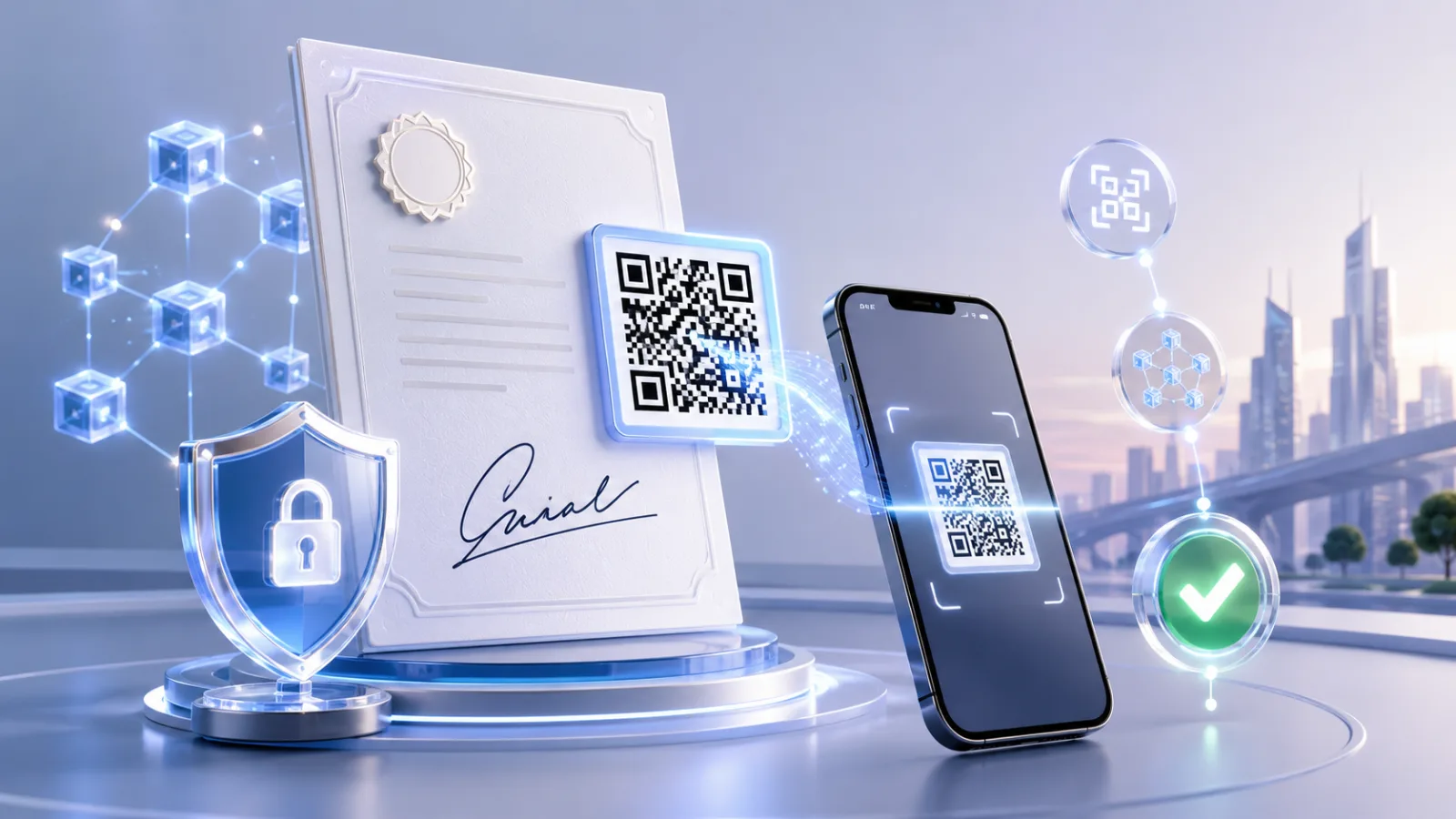
Secure document verification with QR scan

For twenty years, "validating a signature" meant trusting one of two things: a wet-ink scribble on paper, or a coloured banner inside a PDF viewer that said "Signed and all signatures are valid." Both worked because forgery was hard and verification was rare. In 2026 the opposite is true. Forgery has collapsed to the cost of a ChatGPT prompt, and verification needs to happen thousands of times a day across HR, lending, leasing, procurement, and education — by humans who have no reason to open a PDF in Acrobat and squint at a certificate chain.

QR code signature validation is the bridge. A small square printed or rendered on a signed document encodes a cryptographic pointer back to the issuer's proof; a recipient scans it with any phone camera and gets a real-time, verifiable answer — yes, this exact document was issued by this exact organisation, has not been altered, and is still valid — in under three seconds. It does not require an account, an app, an email client, or a PDF reader. It works in person, on paper, on a screenshot, and across borders.

This guide explains exactly how QR-based signature validation works under the hood, why three converging pressures — the EU's eIDAS 2.0 wallet rollout, the AI document fraud wave, and the death of email as a verification channel — are pushing it from niche to default in 2026, and what to look for in a system that does it properly. If you're choosing a platform, designing an issuance workflow, or just trying to understand why a vendor put a QR code on every document last quarter, start here.

TL;DR

QuestionAnswerWhat is QR code signature validation?A workflow where a QR code on a signed document points a recipient to cryptographic proof — usually a hosted verification page — that confirms issuer, content, and tamper status in one scan.Is it the same as a digital signature?No. The signature is cryptographic; the QR code is the delivery mechanism that makes the signature trivially verifiable by a non-technical recipient.Why now?Three pressures in 2026: eIDAS 2.0 / EUDI Wallet rollout, AI-generated document fraud, and the collapse of email links as a trustworthy verification channel.Is it secure?Yes — when the QR resolves to a signed payload or a hosted proof page over HTTPS with the cryptographic verification performed server-side. A QR that just contains a text claim is not validation.What does it replace?Manual document checks, email confirmation back to issuers, "call the HR department to verify," and PDF certificate-chain inspection by recipients.

What "QR code signature validation" actually means

The phrase gets used loosely, so it's worth separating what counts from what doesn't.

A QR code on a document can do one of three things, only one of which qualifies as validation.

1. Decorative or informational. The QR encodes a URL to a marketing page, a contact card, or a static PDF. There is no cryptographic link to the document itself. Scanning it tells you nothing about authenticity. This is the most common pattern in the wild, and it is worthless for verification.

2. Self-asserting. The QR encodes a signed JSON payload — an issuer claim, a document hash, a timestamp — directly inside the code. A scanner app capable of parsing it can verify the signature offline against a known public key. This is genuinely cryptographic, but it pushes complexity onto the scanner and only works inside ecosystems that have agreed on a payload schema (mobile driving licences under ISO/IEC 18013-5 are the canonical example).

3. Resolver-based. The QR encodes a short URL — typically a unique verification endpoint hosted by the issuer's platform. Scanning it opens a browser page that fetches the original signed document, recomputes its hash, validates the signature against the issuer's certificate, and renders a human-readable verdict. The cryptography is done server-side. The recipient sees a result, not a payload.

This third pattern is what most people mean by QR code signature validation in 2026, and it is the pattern this guide focuses on. It's the model used in passport e-gates, EU Digital COVID Certificates, government-issued credentials in India and the UAE, and an expanding set of HR, lending, and education documents in the private sector. It works because the only thing the recipient's device has to do is open a URL — a capability every phone made in the last fifteen years already has.

For the deeper distinction between the underlying cryptography and the visual signature most people see in a PDF, our electronic signature vs digital signature primer is the place to start.

How QR code signature validation works, end to end

Walk through the lifecycle of a single document — say, an employment verification letter issued to a new hire — and the mechanics become concrete.

Step 1 — Issuance

The issuer's platform generates the document and computes a cryptographic hash of its contents (SHA-256 is the workhorse). The hash, plus issuer identity, timestamp, and optionally signer identity, is digitally signed using the issuer's private key. The signature is stored alongside the document on the issuer's infrastructure.

In ETSI PAdES terms — the European standard for PDF signatures, formally ETSI EN 319 142-1 — the signed PDF contains a /Sig dictionary with the CMS signature object embedded in a ByteRange. Any change to the bytes outside the signature breaks the signature. PAdES has been the baseline format referenced under eIDAS since 2015 and is the relevant interoperability standard inside the EU.

Step 2 — QR generation

A unique verification URL is generated for this specific document — for example https://verify.example.com/v/8f3a2b1e. The slug is unguessable but does not need to encode the hash itself; it is an opaque pointer into the issuer's verification database. That URL is encoded as a QR code and embedded in the document, usually in a corner or footer, often next to a short human-readable verification ID for recipients who can't scan.

The QR code is just transport. The cryptography lives behind the URL.

Step 3 — Delivery

The signed document — PDF, image, or print — reaches the recipient. Because the QR is now part of the document itself, it survives any delivery channel: email attachment, printed page, screenshot, PDF re-export, even a photo of a paper copy on a phone. This is the property email-link verification famously does not have.

Step 4 — Scanning

The recipient opens their phone camera, points it at the QR code, and taps the URL preview. No app required, no account required. The browser opens the verification endpoint.

  1. Step 5 — Server-side validation

When the endpoint is hit, the issuer's platform does several things at once:

Looks up the original signed document by its identifier.

Recomputes the cryptographic hash of the stored canonical version.

Verifies the digital signature against the issuer's public certificate.

Checks the certificate's revocation status (OCSP or CRL).

Confirms the document has not been revoked by the issuer.

Confirms the document is within any validity window the issuer set.

If anything fails, the page renders a failure state — typically with a specific reason. If everything passes, the recipient sees a verification page (often called a hosted proof page) showing issuer identity, issue date, document type, validity status, and a thumbnail or downloadable copy of the canonical document. The whole round trip is sub-second on a modern connection.

For more on what a verification page should and shouldn't show, see our hosted proof page guide.

Step 6 — Audit trail

Every scan is logged: timestamp, IP region, user agent. This produces two artefacts that matter. For the issuer, it's a passive analytics stream showing who actually verifies the documents they send. For the recipient, in a dispute, it's evidence that verification happened. The audit trail also catches certain abuse patterns — for example, a stale document being verified from dozens of IP regions in quick succession, which is a classic indicator of a forwarded forgery attempt.

Why this is becoming the default in 2026

Three pressures are pushing QR signature validation from "nice to have" to "table stakes" this year. Any one of them would be enough on its own; together they are decisive.

Pressure 1 — eIDAS 2.0 and the EUDI Wallet rollout

The amended European digital identity framework — Regulation (EU) 2024/1183, commonly called eIDAS 2.0 — entered into force on 20 May 2024. It mandates that every EU member state make at least one European Digital Identity Wallet (EUDI Wallet) available to citizens by 24 December 2026, and that designated relying parties accept these wallets one year later. The European Commission's Implementing Regulation (EU) 2026/798, published on 8 April 2026, sets out the rules for wallet enrolment — the first piece of operational scaffolding to land.

The wallet itself is a phone app, but the verification surface it creates is not. Credentials issued into a wallet are meant to be presented in physical and online contexts — at a hotel check-in, a notary's office, a tenant viewing — and the universal presentation primitive across those contexts is a scannable code. ISO/IEC 18013-5 (mobile driving licences) already specifies a QR-based engagement flow for offline presentation; the EUDI Wallet's reference architecture extends the same pattern to electronic attestations of attributes (EAAs). For organisations that issue or rely on documents in regulated workflows — financial services, real estate, education, healthcare — the practical effect is that QR-based presentation and verification is no longer one design choice among several. It is the choice the regulator is standardising around.

If your blog post on eIDAS was written before May 2024, it is meaningfully out of date.

Pressure 2 — AI-generated document fraud

The other side of the pressure is that the documents themselves can no longer be trusted at face value. Generative AI has collapsed the cost of producing a convincing pay stub, bank statement, W-2, or offer letter from days of skilled forgery to minutes of prompt engineering. Lenders, landlords, and employers are seeing fraud rates climb on documents that used to be considered reliable second-tier proof. Our team's primer on the red flags of AI-generated documents covers the forensic side.

What that pressure produces, on the recipient side, is a refusal to accept any document on its appearance alone. Verification has to happen for every document, by people who have no specialist training. The only verification UX that works at that scale is one that requires no expertise from the verifier — point a camera, get an answer. Anything that requires opening a PDF reader, inspecting a certificate, or emailing the issuing organisation does not survive contact with a busy underwriter or property manager processing fifty applications a week.

Pressure 3 — Email verification links are collapsing

The dominant pre-QR pattern was the email confirmation link. The recipient receives a signed document along with an email from the platform that says "click here to verify." It has three structural problems that are getting worse, not better.

First, email is no longer a trusted channel. Spoofing, deliverability failures, and aggressive spam filtering mean a meaningful percentage of verification emails never reach their intended recipient, or reach them in a state where the recipient is unsure if the email itself is legitimate. Second, the email is decoupled from the document. A recipient who receives the PDF from a third party — a tenant forwarded their pay stub to a letting agent, for instance — never receives the verification email at all. The verification link only works for the original recipient. Third, the link itself can be phished: an attacker who can spoof a verification email can also serve a fake verification page, and the recipient has no easy way to tell.

The QR code solves all three. It travels with the document, not with the email. It does not depend on inbox deliverability. It is anchored to the issuer's domain, not to a forwarded URL.

QR signature validation vs the alternatives

MethodVerifier effortSurvives forwardingWorks offlineCryptographicCommon failure modeQR code resolverOne scanYesNo (needs network)Yes (server-side)Bad TLS cert, broken issuer domainEmail confirmation linkOne click, but only the original recipientNoNoSometimesEmail never arrives or is spoofedBlockchain anchorHigh — requires explorer literacyYesNoYesVerifier can't actually read the chainManual call-back to issuerVery highYesNoNoSlow; subject to social engineeringPDF certificate inspectionHigh — requires AcrobatYesYesYesRecipient never opens the right viewerSelf-asserting QR (mDL-style)Scan + supported appYesYesYesLimited to closed ecosystems

Blockchain anchoring deserves a separate note because it is often pitched as the alternative to QR-based validation, but the comparison is a category error. Blockchain solves the anchoring problem (proving a hash existed at a point in time without trusting any single party). It does not solve the presentation problem (giving a recipient a usable way to check). Production systems that use blockchain almost always wrap it in a QR-based resolver flow, because nothing else works at the recipient end. A standalone blockchain-only verification UX has never reached meaningful adoption, and the reasons are structural rather than technical.

Where QR signature validation is winning first

Adoption is uneven, but the leading edges are predictable. Wherever a document is checked by a non-technical recipient in a high-fraud workflow, QR validation lands first.

Human resources. Offer letters, employment verification letters, and pay stubs are now AI-fraud targets. The HR teams that have moved fastest are those whose documents end up in tenant screening and loan applications — they get the calls. See our HR playbook for tamper-proof offer letters.

Lending and underwriting. Mortgage and personal loan underwriters historically accepted pay stubs and bank statements with light verification. AI fraud has ended that. Lenders are now refusing to accept any income or asset document without an issuer-verifiable proof, and QR is the format their borrowers' employers can adopt without engineering work. The same pattern is showing up with verifiable bank statements.

Real estate and property management. Property managers verify pay stubs, employment letters, and bank statements on every tenant application. They were the first private-sector recipients to standardise on "no QR, no application."

Education. Universities issuing transcripts and diplomas have been adopting QR verification for several years; the 2026 acceleration is in recipient-side adoption — employers and licensing bodies now expect to scan, not request originals from the registrar.

Government and notarisation. Permits, licences, and notarised documents have moved fastest in jurisdictions where eIDAS 2.0 or equivalent frameworks apply. This is the most regulator-pulled corner of the market.

Procurement and finance ops. Purchase orders, invoices, and certificates of insurance carry AP fraud risk that QR validation specifically addresses by tying the document to the issuing entity rather than the email it arrived in.

What separates real QR signature validation from theatre

If you're evaluating a platform — or auditing one you already use — these are the things that distinguish a system that actually validates from a system that performs validation. The difference matters because the bad ones look identical from the outside.

The QR resolves over HTTPS to the issuer's domain. Not a shortener, not a third-party vanity domain. The recipient's first cue of trust is the URL bar; if the QR points to bit.ly/xyz or a vendor's domain rather than the issuer's, the trust signal is gone. Some platforms support white-label domains for exactly this reason.

The verification page actually performs cryptographic validation. A page that just retrieves a record from a database and renders "Verified ✓" is not validation; it is a database lookup. A real validator recomputes the document hash, verifies the signature, and checks certificate revocation, every single request. Ask the vendor.

The canonical document is fetched and displayed. The recipient should be able to see the document the issuer actually signed — not just a verdict on a different document. This catches the most common spoofing attempt: a forged document with a QR that points to a real verification page for a different, legitimate document.

Revocation is supported and fast. Issuers need to revoke a document — a rescinded offer, a superseded transcript, a fraudulent issuance — and the verification page needs to reflect that in seconds, not days.

The audit trail is exposed to the issuer. Without scan logs, the issuer has no signal on whether their documents are actually being verified and no way to investigate suspicious patterns.

Signature format is interoperable. PAdES baseline for PDFs, JWS or COSE for JSON payloads, W3C Verifiable Credentials for wallet-bound credentials. Proprietary signature formats trap you in one vendor's ecosystem.

If you have a PDF in hand and want to check the underlying signature yourself, our how to verify a signed PDF walkthrough covers the manual flow.

Common pitfalls

Three failure patterns show up often enough to be worth flagging.

The QR points to a static page that always returns "verified." Some early implementations did this — the QR was effectively a brand stamp, not a verification primitive. If the verification page works when the document has been modified, the system isn't doing real verification.

The QR is generated client-side at signing time and contains the verification data inline. This is the self-asserting pattern. It can be valid (it's what mDLs do), but it requires that scanners parse the payload, and most generic QR scanners don't. In closed ecosystems, fine. In open ones, it fails for most recipients.

The verification page is hosted by the platform but doesn't show issuer branding. If the recipient lands on a page that says "verified by [vendor]" rather than "verified — issued by [employer name]," the trust signal is misaligned. Recipients are verifying the issuer, not the platform.

Where this is heading in the next 18 months

Three things are likely between mid-2026 and end of 2027.

First, the EUDI Wallet's December 2026 milestone will move QR-based presentation from a private-sector design pattern to a regulatory expectation across the EU. Relying parties that are not ready to accept wallet-bound credentials presented via QR will be in compliance trouble within a year of the deadline.

Second, AI search engines will start citing verification pages directly in their answers — "is this document real?" is a query type that resolves naturally to a single canonical page per document, and that is exactly what hosted proof pages provide.

Third, the recipient-side UX will consolidate. Today, scanning a verification QR in iOS Safari and in Android Chrome produces slightly different flows; the OS-level camera apps in both ecosystems are converging on a clean "this is a verifiable document" affordance. Expect that to be a first-class platform feature within the next two iOS and Android releases.

The shift this represents is not really technical. The cryptography has been in place for two decades. What's new is that the verification user experience has finally collapsed to a single primitive — point a camera, get an answer — that works at the scale and pace at which documents now move. That's the reason QR code signature validation is on track to be the default in 2026 rather than one option among many. It's not the best mechanism; it's the one that fits how recipients actually behave.

  • Frequently asked questions

Is a QR code on a document the same as a digital signature?

No. The QR code is a delivery mechanism for the verification UX. The digital signature is a cryptographic operation performed at issuance time, using the issuer's private key, against the document's hash. The QR code lets a recipient reach the verification result without needing to inspect the signature themselves.

Can a QR code on a signed PDF be forged or copied?

The QR code itself can be photographed and reproduced trivially — that is not the point of attack. The point of attack is the document the QR points to. A copied QR on a forged document will still resolve to the original legitimate document, which is what the recipient will see on the verification page. If the forged document doesn't match what they're holding, the forgery is caught. This is why a real validator must display the canonical document, not just a verdict.

Does QR code signature validation work offline?

No, the resolver-based pattern requires a network connection to fetch the verification page. The self-asserting pattern used in ISO/IEC 18013-5 mobile driving licences does work offline, but requires a compatible scanner app. For most business document workflows in 2026, online verification is the right trade — the verifier almost always has a phone with mobile data or Wi-Fi.

Is QR code verification compliant with eIDAS, ESIGN, and UETA?

The QR code itself is not a regulated artefact under any of these frameworks; what's regulated is the underlying electronic signature. Properly issued documents using PAdES signatures and qualified electronic signatures (QES) under eIDAS 2.0, or ESIGN/UETA-compliant electronic signatures in the US, retain their legal validity regardless of whether a QR code is added for verification. The QR adds a verification channel, not a signature type.

How is this different from the QR codes on COVID vaccination certificates?

Conceptually identical. The EU Digital COVID Certificate used the self-asserting pattern (signed payload encoded in the QR, verifiable offline against a published public key). The pattern proved that QR-based credential verification could work at population scale across borders, and the lessons from that rollout directly informed the EUDI Wallet's QR presentation flows.

What happens if the issuing organisation goes out of business?

This is the strongest argument for using a verification platform with documented data continuity guarantees, not a homegrown setup. If the issuer disappears and the verification URL stops resolving, recipients lose the ability to verify. Long-term validation (PAdES-LTV, B-LTA) addresses this by embedding all the validation material — certificates, revocation data, timestamps — directly into the PDF, so verification can be performed against the file itself even if the issuer's infrastructure is gone.

Can recipients verify QR-coded documents without giving up their data?

The recipient's IP and user agent are typically logged by the verification platform; nothing else is required. No account, no email, no identity. From a GDPR / privacy standpoint this is meaningfully less data than email-based verification, which exposes the recipient's email address to the issuer.

Is there a standard for QR-based document verification specifically?

Not as a single unified standard. The cryptographic substrate is standardised (PAdES, CAdES, XAdES under ETSI; ISO/IEC 18013-5 for mDLs; W3C Verifiable Credentials for wallet-bound credentials). The QR-as-resolver pattern is convention rather than spec — though the EUDI Wallet's Architecture and Reference Framework is increasingly the de facto reference for cross-border use cases. Expect formal standardisation to follow adoption, not lead it.

VerifyDoc.ai helps organisations issue documents recipients can verify in one scan, no email link required. See our document integrity gap guide for how this fits into a broader verification strategy.Contentpdf

Back to blog